
Getting your website noticed on Google isn't always easy, especially when you're working with a limited marketing budget.
You might have a well-designed website, useful content, and a great product, but still struggle to attract organic visitors. Sometimes the problem is technical. Other times, your pages simply aren't answering the questions your audience is searching for.
The good news? You don't need to invest in expensive software to start improving your SEO.
There are plenty of free AI SEO tools and traditional SEO tools that can help you research keywords, identify website problems, improve content, and understand your search performance.
In this guide, we'll explore 15 useful tools for 2026, including Google Search Console, Ahrefs, Semrush, and several free SEO utilities available through Nivya Digital.
We'll also explain which tools are worth using, what their limitations are, and how to combine them into a practical SEO workflow.
What Are AI SEO Tools?
AI SEO tools are applications that use artificial intelligence to support search engine optimization tasks.
Depending on the tool, AI can help with:
Finding relevant keywords and content opportunities
Identifying missing topics in existing articles
Improving content structure and readability
Analyzing competing pages
Creating first drafts of titles and descriptions
Identifying technical SEO problems
Understanding search visibility across traditional and AI-powered search experiences
However, not every useful SEO tool uses artificial intelligence.
For example, a keyword density checker calculates keyword frequency, while Google Search Console reports actual Google Search performance.
Both can be valuable without being generative AI applications.
The most effective SEO workflow usually combines AI-assisted research, reliable performance data, technical tools, and human judgment.
Why Free SEO Tools Matter in 2026
Search behavior continues to evolve.
People still use Google to find websites, products, and services, but they also ask detailed questions through AI-powered search experiences.
This creates two important challenges for website owners.
First, your website needs to be technically accessible, understandable, and useful to traditional search engines.
Second, your content should provide clear, trustworthy information that people genuinely want to read and reference.
Free SEO tools help you work on both areas without committing to an expensive subscription.
For a small business, this might mean checking whether important pages are indexed, finding slow-loading pages, improving product descriptions, or identifying unanswered customer questions.
The key is choosing tools that solve a specific problem rather than collecting dozens of tools you rarely use.
15 Best Free and Freemium AI SEO Tools in 2026
The following selection includes AI-powered platforms, free SEO utilities, and essential Google tools.
Some are completely free to access, while others provide limited free features or usage allowances.
1. Google Search Console — Best for Monitoring Google Search Performance
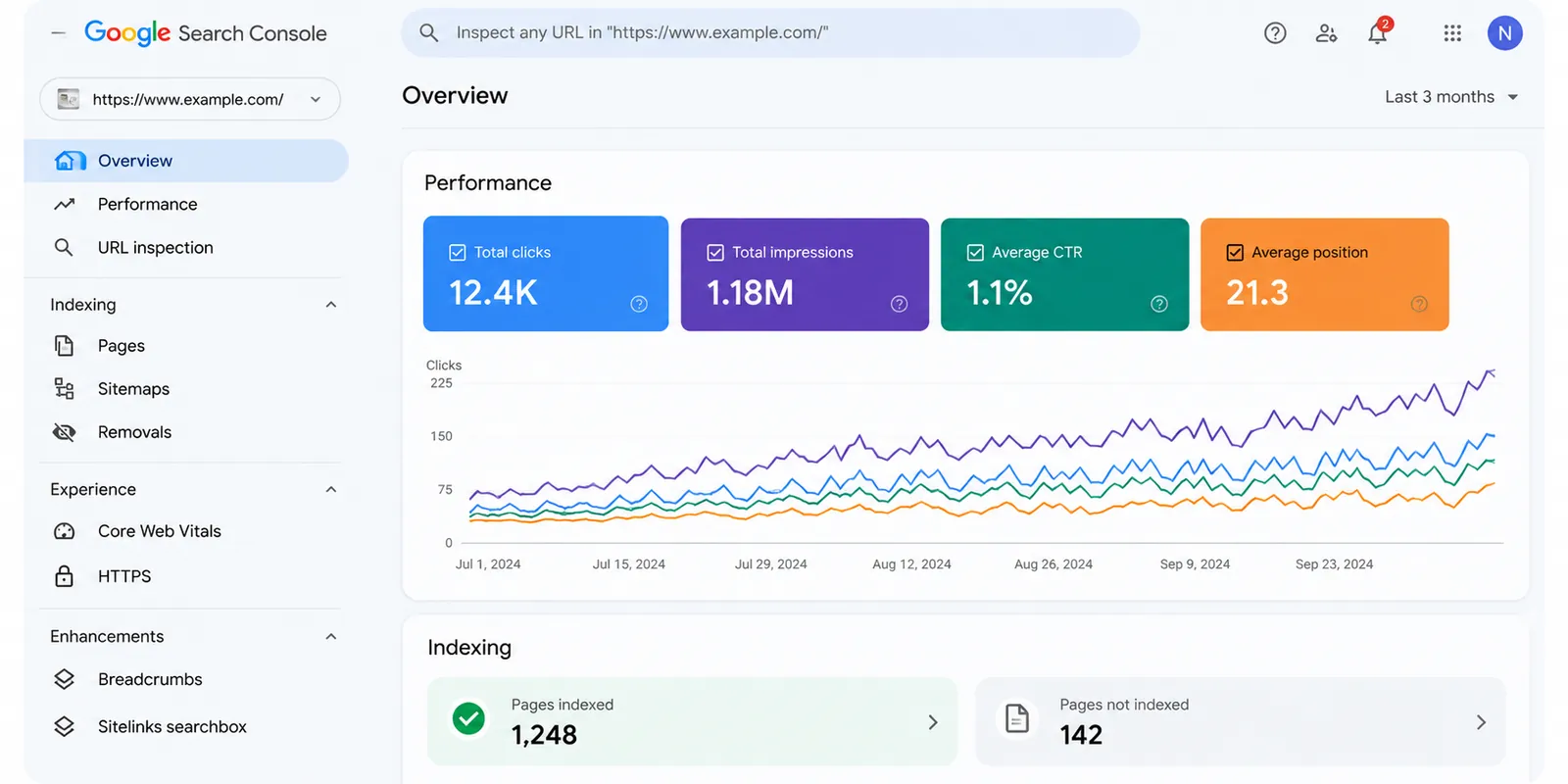
Google Search Console is one of the first tools you should set up for any website.
It helps website owners understand how their pages perform in Google's organic search results.
You can use it to examine:
Search impressions and clicks
Search queries that bring visitors to your website
Average search positions
Page indexing status
Sitemap submission
Core Web Vitals reports
Technical issues reported by Google
Practical example
Suppose your website appears 5,000 times in Google Search but receives only 70 clicks.
Search Console can help you identify which queries and pages have high impressions but relatively low click-through rates.
You can then review whether your titles match search intent and whether your content answers the searcher's question.
Remember that improving a title doesn't guarantee more clicks. Rankings, SERP features, and competition also influence results.
Best for: Website owners, SEO specialists, bloggers, and businesses.
Website: https://search.google.com/search-console/
2. Google Keyword Planner — Best for Keyword Research
Google Keyword Planner is primarily designed for Google Ads, but its keyword ideas can also support organic content planning.
It can help you discover related search terms, review historical search-volume estimates, and understand how keyword demand varies by location.
For example, a digital marketing agency might explore:
SEO services for small businesses
Website SEO audit
Digital marketing services
Local SEO services
SEO tools for beginners
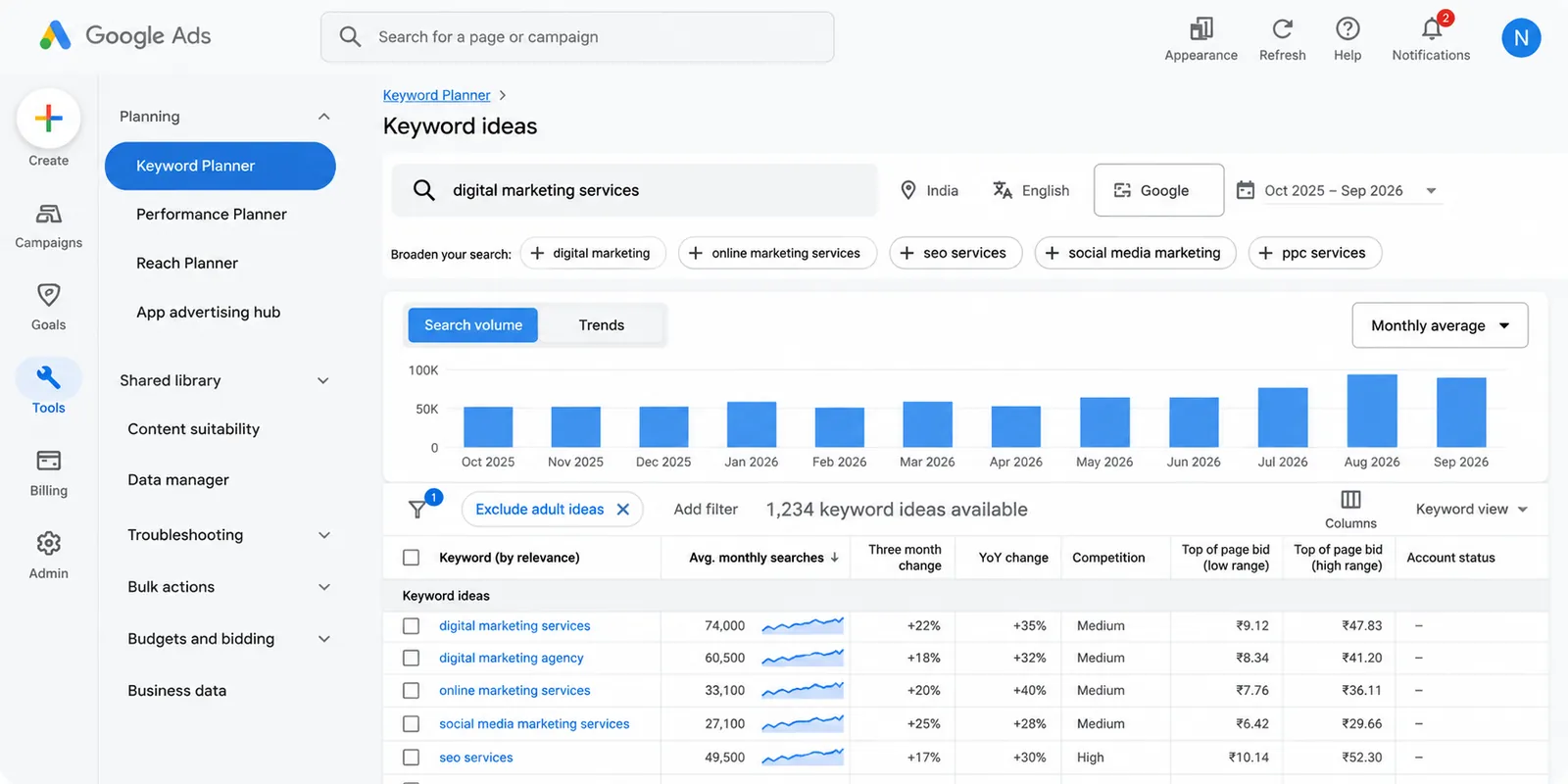
You can change the targeting location to research opportunities in India, the United States, the United Kingdom, or other markets.
One limitation is that Keyword Planner's competition metric relates to advertisers, not organic SEO difficulty.
Best for: Keyword discovery and location-based research.
Website: https://ads.google.com/home/tools/keyword-planner/
3. Ahrefs Free — Best for Website SEO Analysis
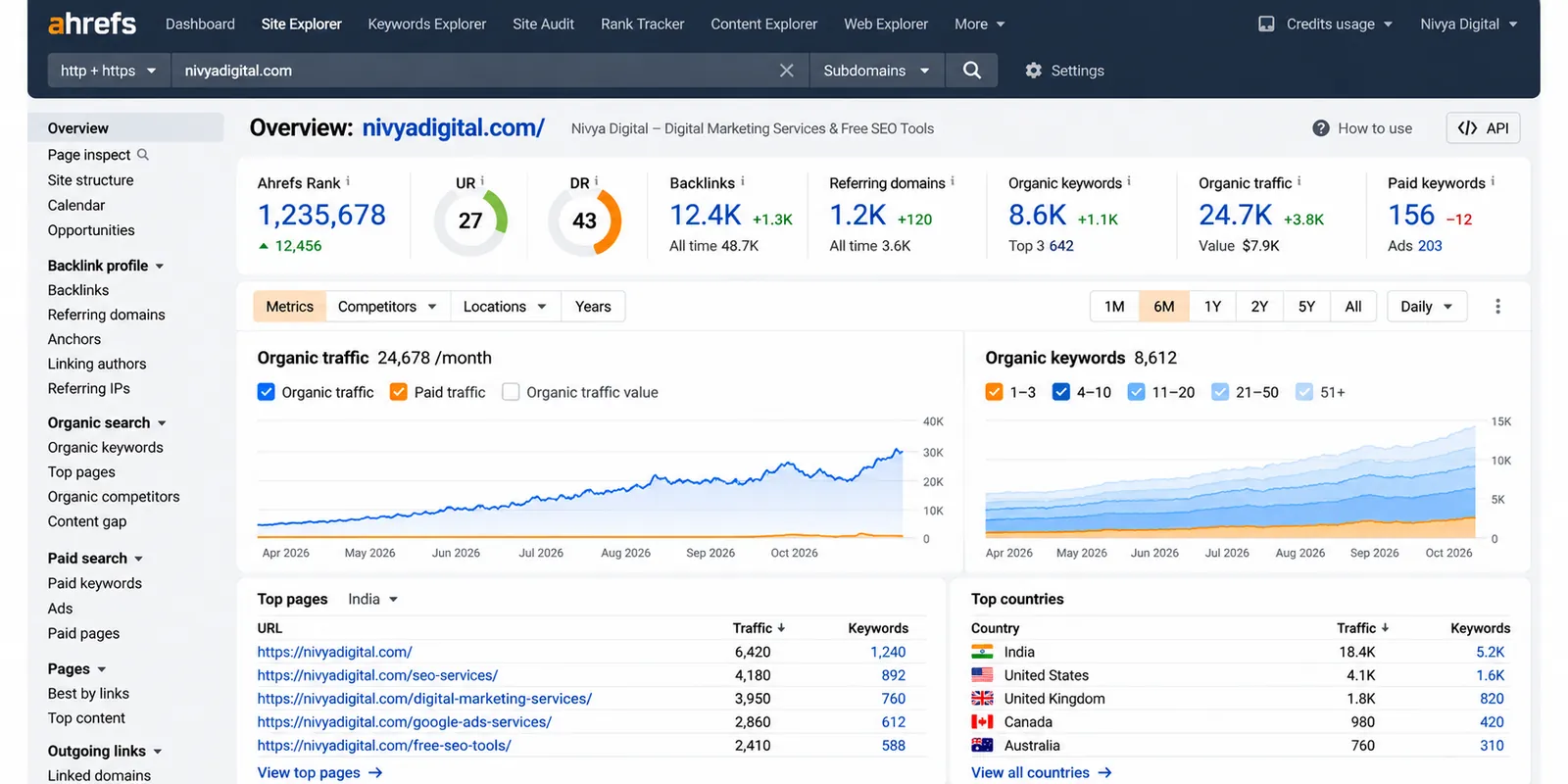
Ahrefs offers limited free access to several SEO capabilities, including tools for verified websites.
Depending on the feature, users can explore technical SEO issues, backlinks, organic keywords, and website performance.
Ahrefs also provides AI-assisted content features, although access and limits vary.
One useful application is finding pages that already attract organic search traffic and identifying related content opportunities.
Rather than copying competitors, look for questions they haven't answered clearly.
Best for: SEO research, website audits, and content improvement.
Website: https://ahrefs.com/free
4. Semrush — Best for SEO Research and Competitive Analysis
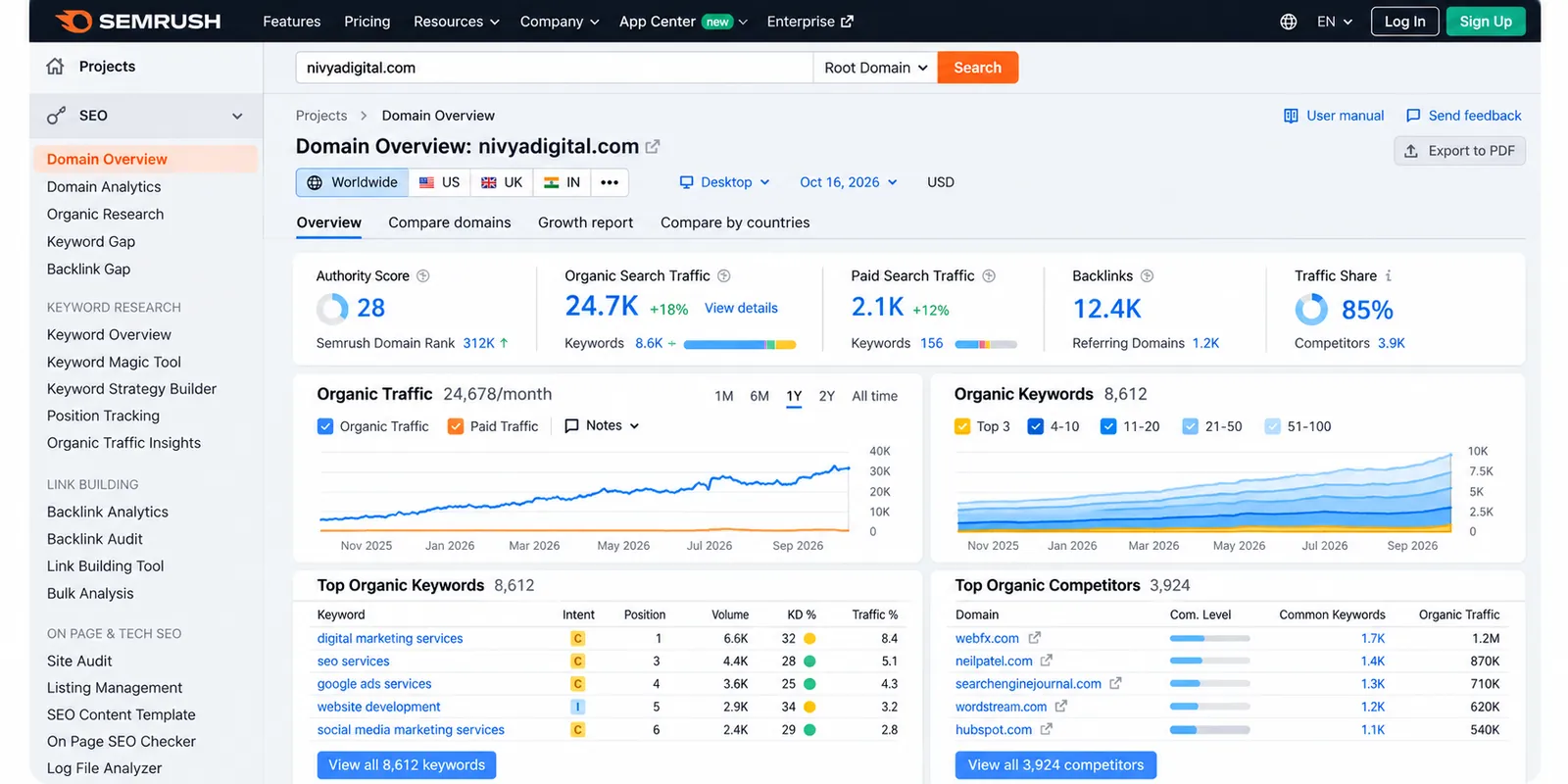
Semrush combines keyword research, competitor analysis, site auditing, and search visibility features.
Its free access is limited, but it can still be useful for initial research.
For example, you might use Semrush to investigate a keyword such as "free SEO tools" and explore related terms, search intent, and competitive pages.
Before selecting a keyword, consider whether your website can offer something more useful than the pages already ranking.
A smaller website may benefit from targeting a more specific question instead of immediately competing for the broadest keyword.
Best for: Keyword research and competitor discovery.
Website: https://www.semrush.com/
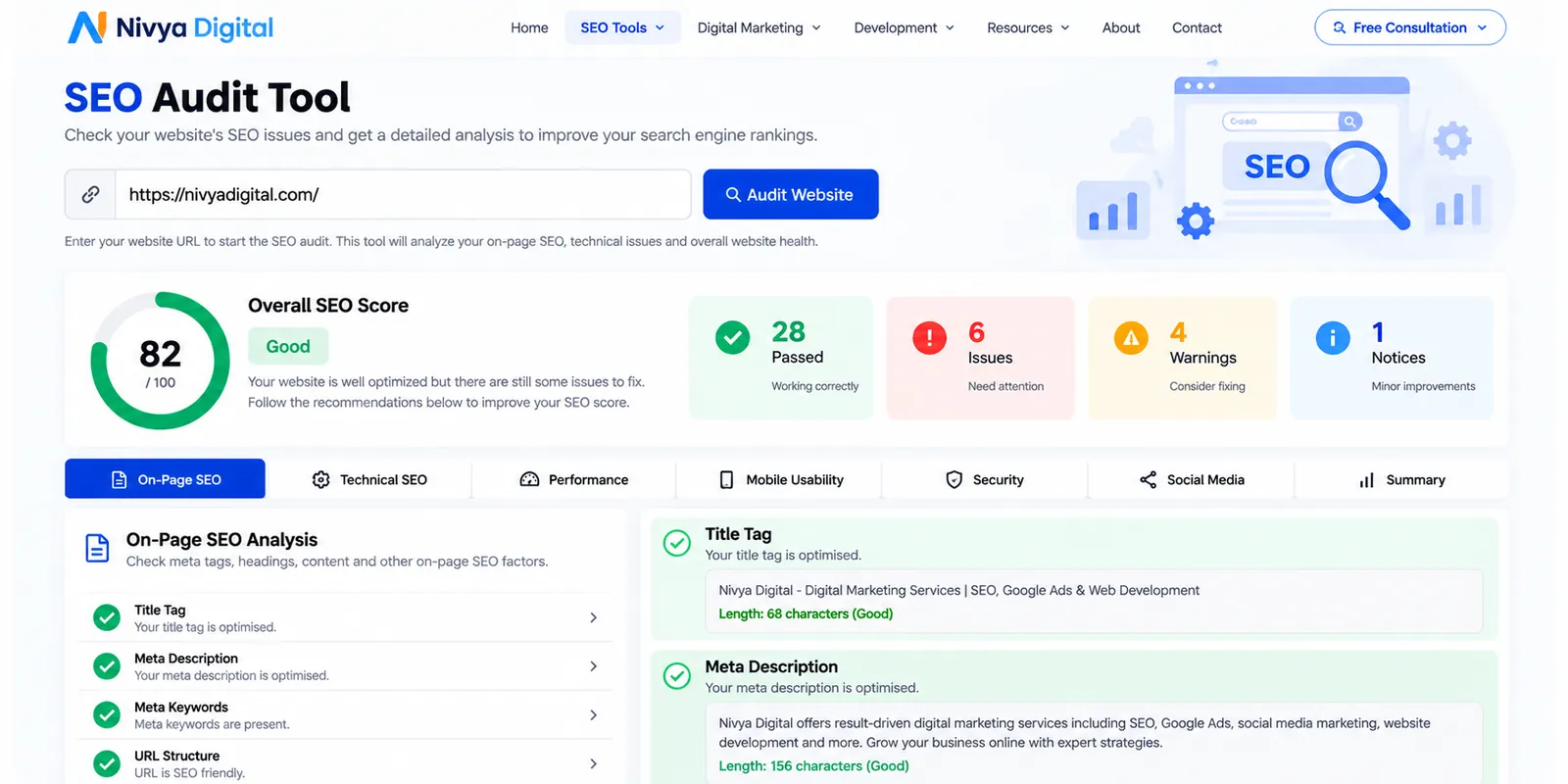
5. Nivya Digital SEO Audit Tool — Best for Initial Website Checks
A website can look perfectly fine to visitors while still having SEO issues.
Missing page descriptions, unclear headings, or other on-page problems can make optimization more difficult.
The Nivya Digital SEO Audit Tool is listed among the company's free website utilities and is designed to help users review SEO elements such as metadata and headings.
An audit is a useful starting point, but automated results should always be reviewed manually.
For example, a missing meta description may be worth addressing, but adding one does not automatically improve your ranking.
Best for: Website owners looking for an initial on-page SEO review.
Try it: https://nivyadigital.com/tools
6. Nivya Digital Website Speed Checker — Best for Performance Reviews
A slow website can frustrate visitors before they even read your content.
Large images, unnecessary scripts, heavy themes, and poorly optimized layouts can all contribute to performance problems.
Nivya Digital offers a Website Speed Checker designed to help users review loading performance.
When investigating speed, pay attention to:
Largest Contentful Paint (LCP)
Interaction to Next Paint (INP)
Cumulative Layout Shift (CLS)
Large image files
Unnecessary JavaScript
Mobile performance
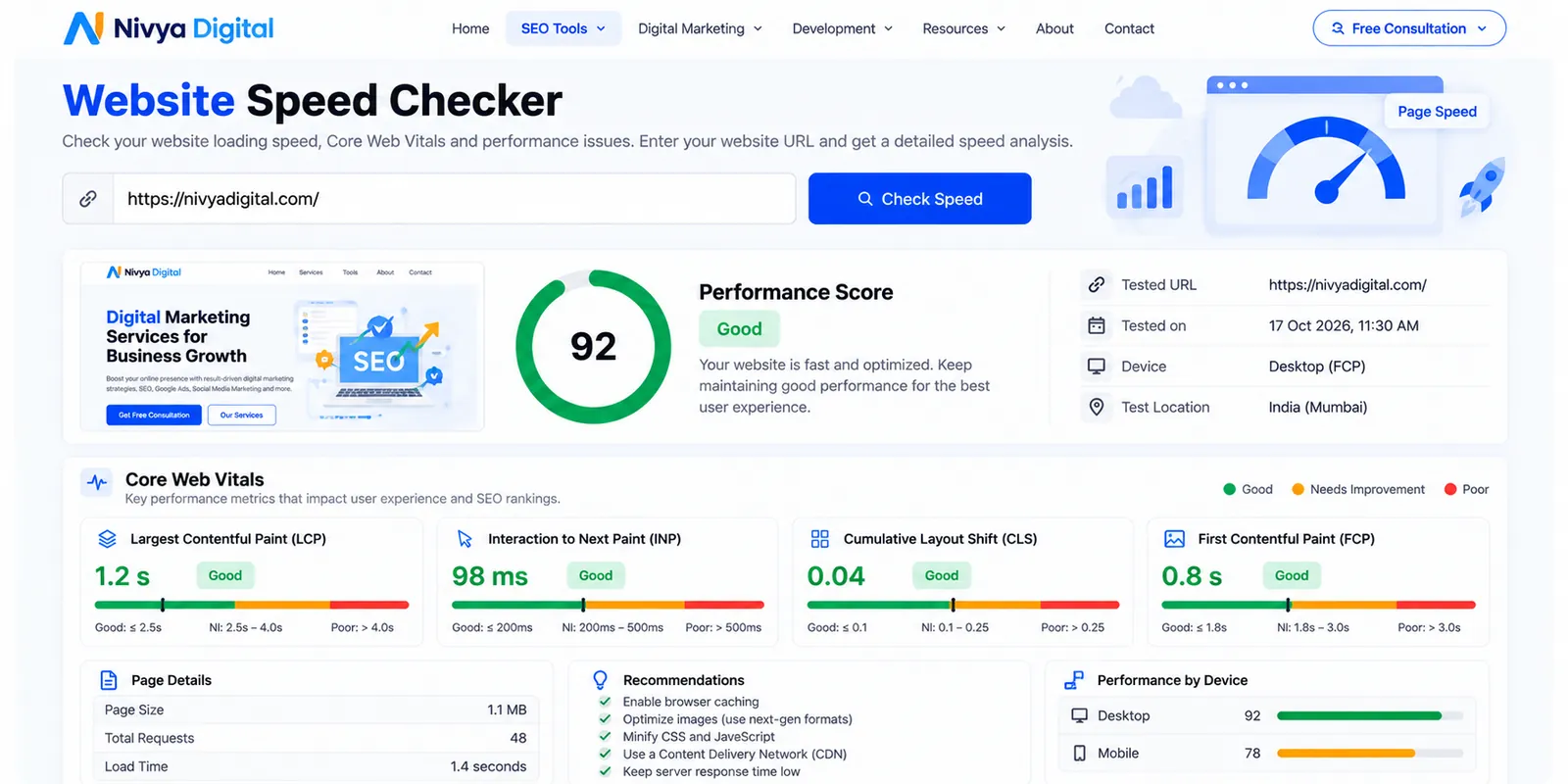
Core Web Vitals are useful experience metrics, but achieving good scores doesn't guarantee top Google rankings.
Best for: Technical SEO reviews and website performance checks.
Try it: https://nivyadigital.com/tools
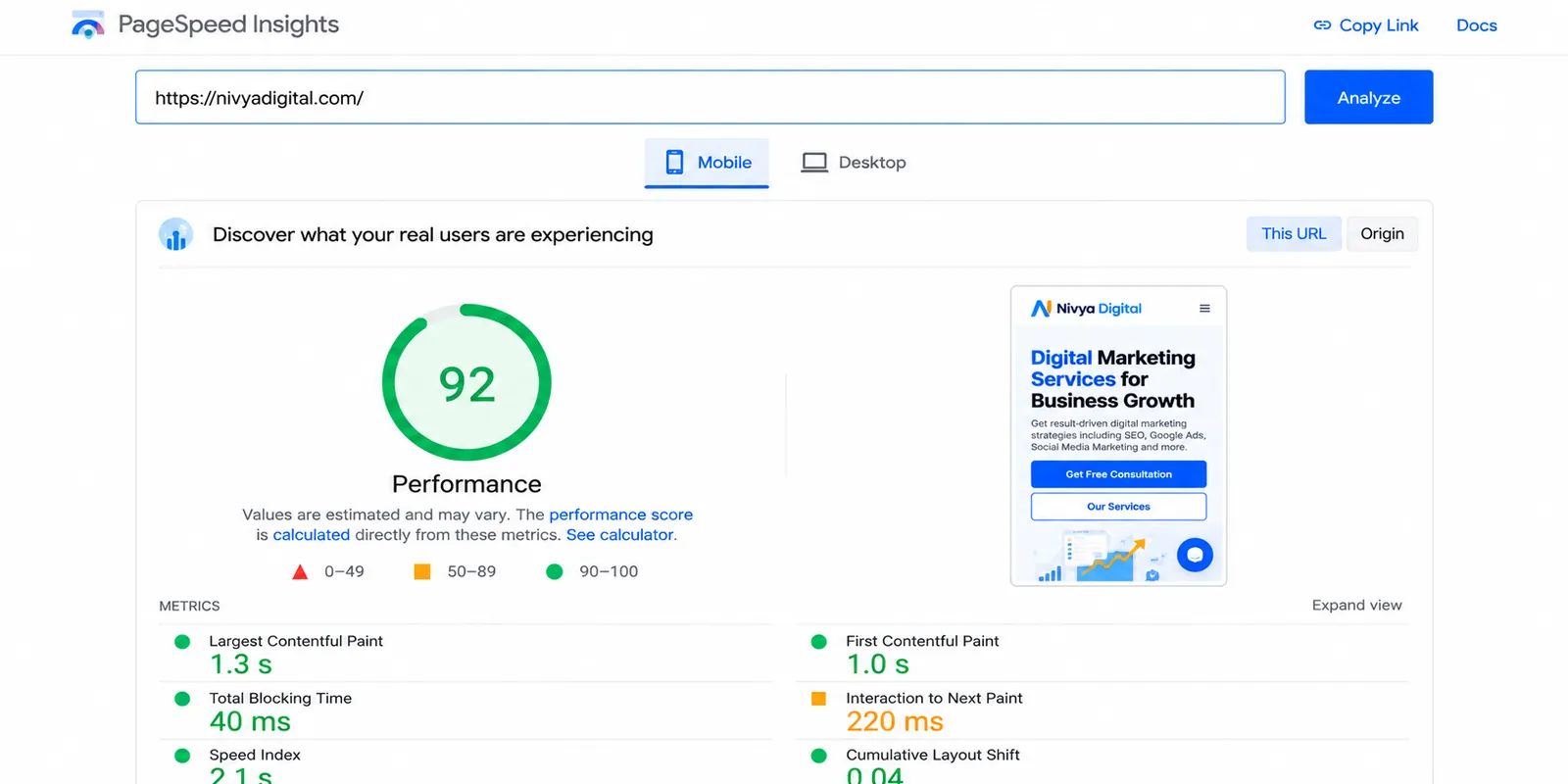
7. Google PageSpeed Insights — Best for Core Web Vitals
PageSpeed Insights helps you understand how a page performs on mobile and desktop devices.
It combines Lighthouse diagnostics with real-user performance data when available.
You can use it to investigate problems such as slow content rendering, layout movement, and delayed interactions.
A practical approach is to check your homepage, an important service page, and a blog article separately.
Different page templates may have different performance problems.
Best for: Developers, website owners, and technical SEO teams.
Website: https://pagespeed.web.dev/
8. Nivya Digital Meta Tag Generator — Best for Page Metadata
Writing a useful page title sounds simple until you have dozens of pages to optimize.
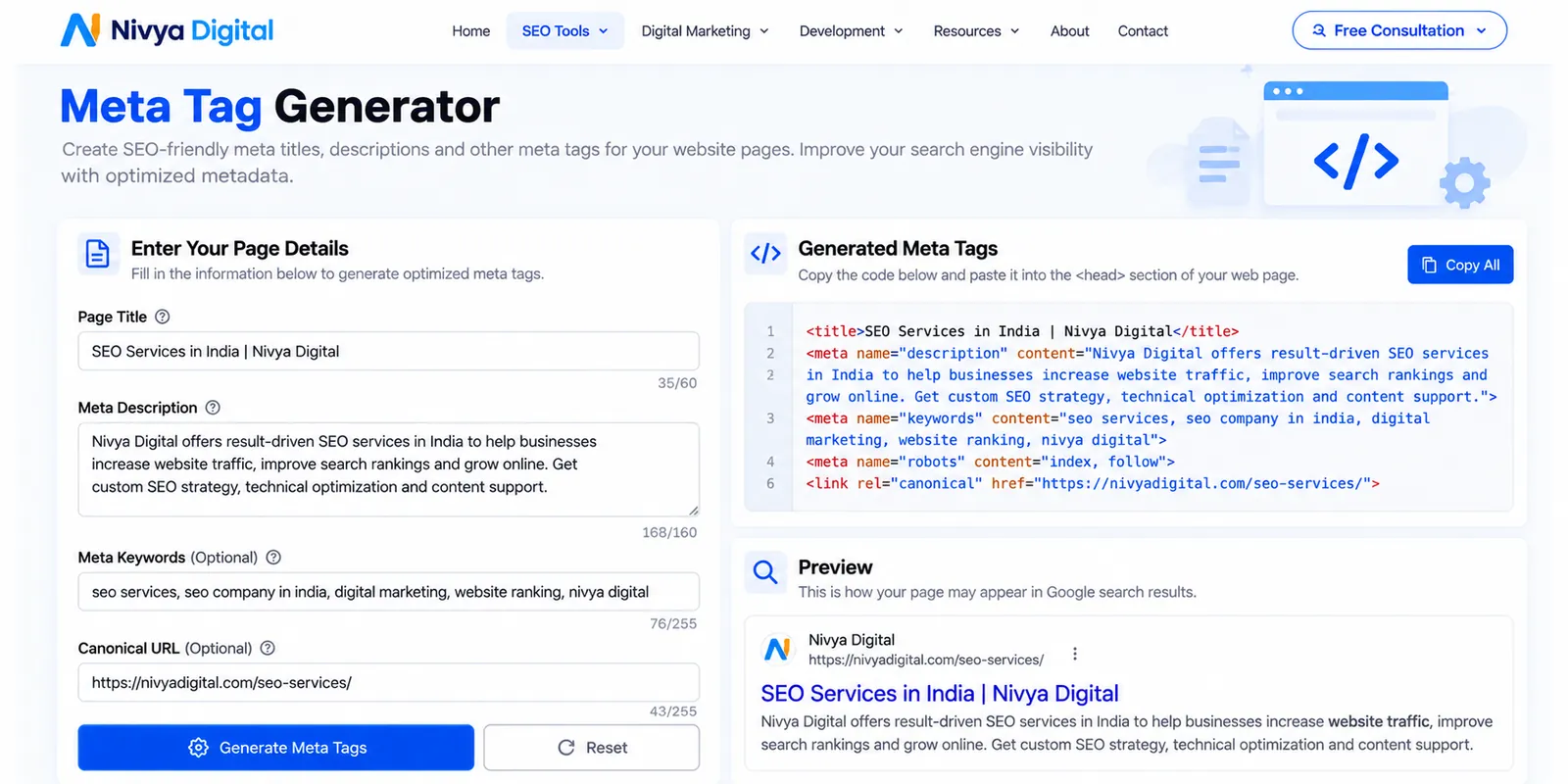
A good title should describe the page accurately, reflect the main search intent, and give users a reason to visit.
Nivya Digital's Meta Tag Generator is designed to help create metadata, including page titles and descriptions.
For example, instead of a generic title such as:
"SEO Services | Home"
A more descriptive option might be:
"SEO Services for Small Businesses | Nivya Digital"
The final wording should reflect the actual content and service offering.
Google may generate its own title link or search snippet, so metadata should be written for clarity rather than guaranteed display.
Best for: Bloggers, website managers, and content editors.
Try it: https://nivyadigital.com/tools?page=3
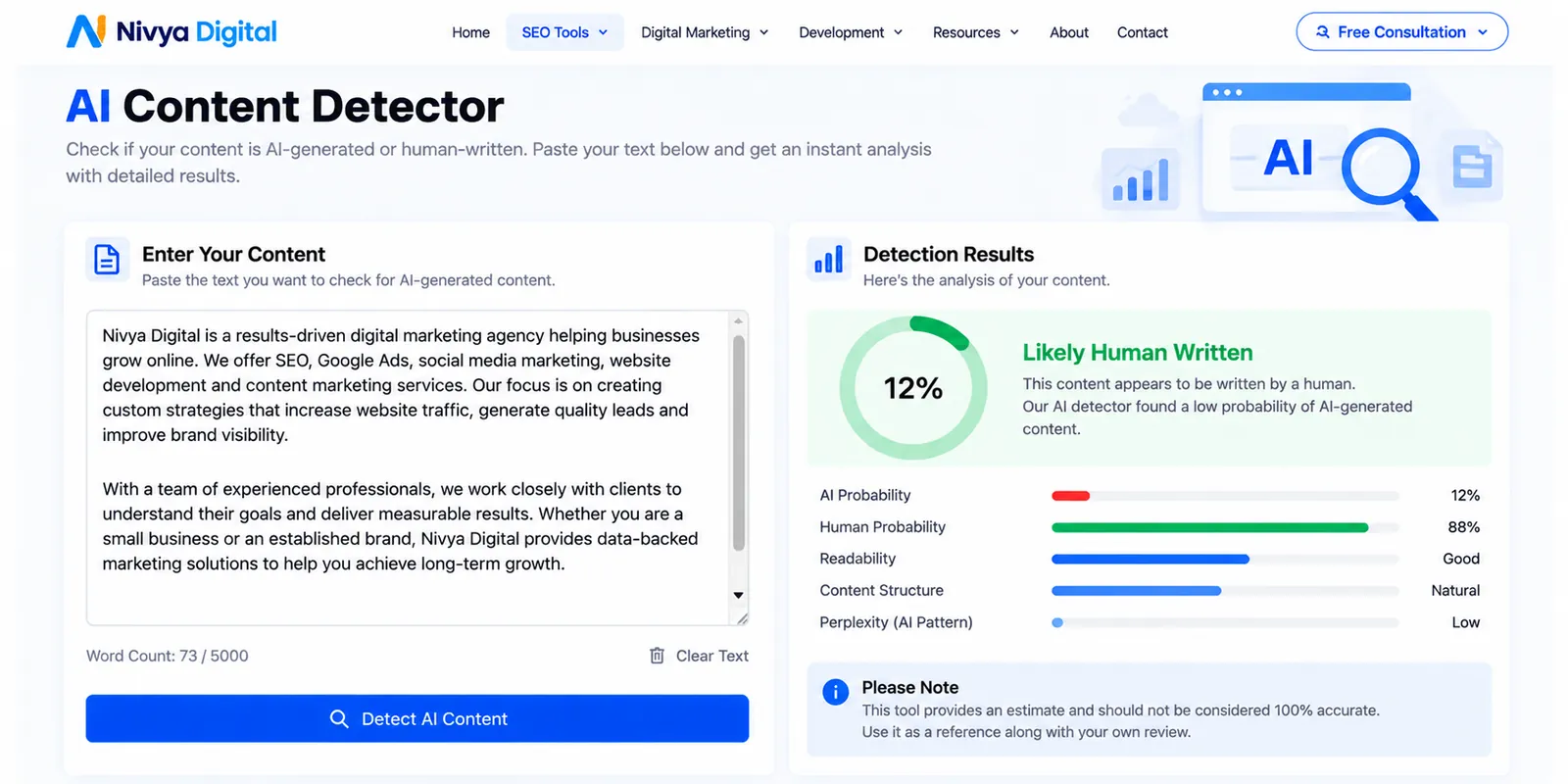
9. Nivya Digital AI Content Detector — Best for Reviewing Content Signals
AI content detectors attempt to estimate whether a piece of text resembles AI-generated writing.
Nivya Digital includes an AI Content Detector in its collection of content tools.
However, there's an important limitation: AI detection results are not reliable proof of authorship.
Human-written content may be incorrectly flagged, and AI-generated content may go undetected.
Instead of treating a detection score as a quality grade, focus on whether your article contains accurate information, clear explanations, useful examples, and original insights.
Best for: Supplementary content review, with caution.
Try it: https://nivyadigital.com/tools
10. Nivya Digital Plagiarism Checker — Best for Similarity Checks
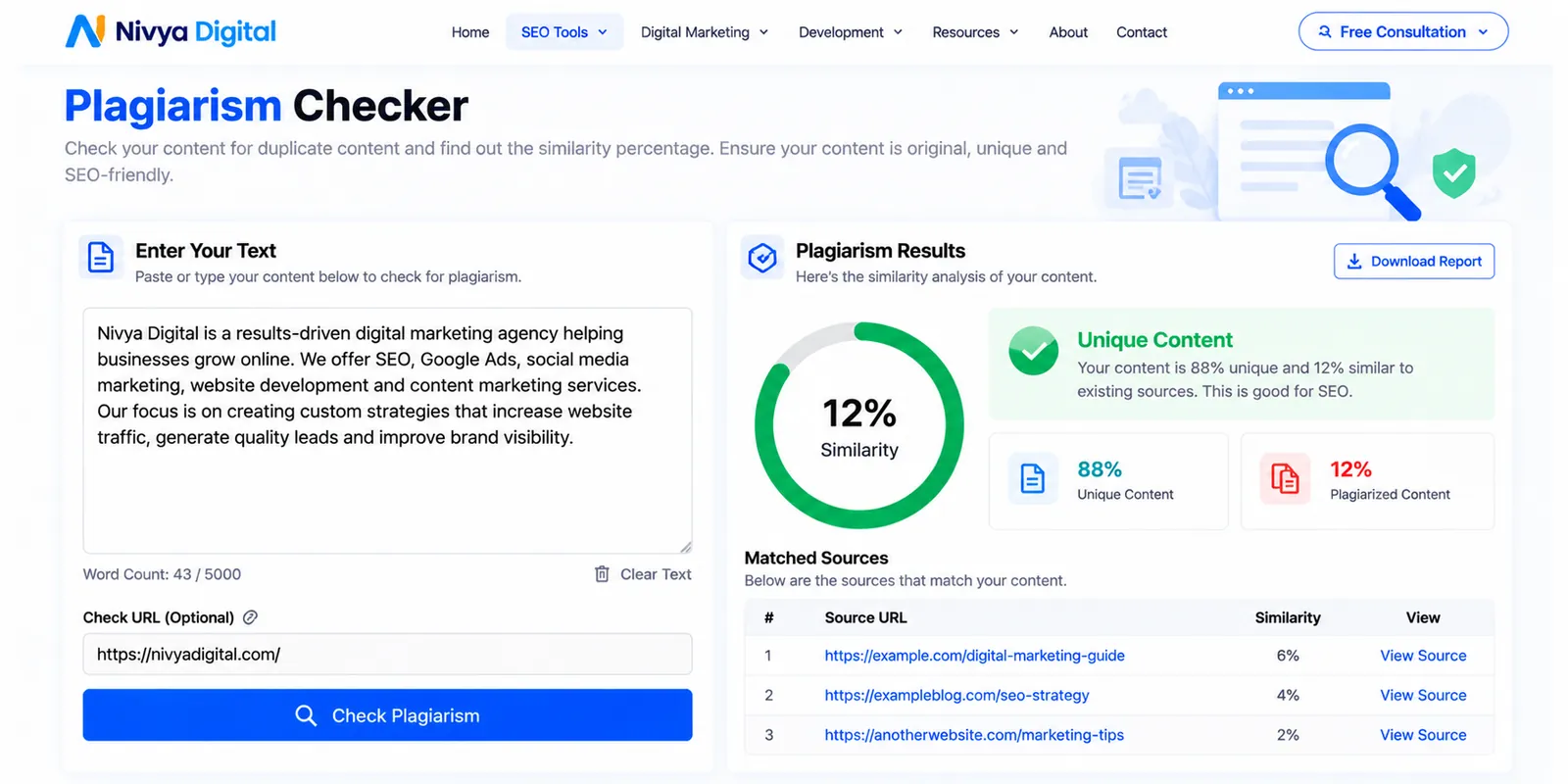
Originality matters when publishing educational articles, product descriptions, and website copy.
Nivya Digital's Plagiarism Checker is designed to identify potential similarities between content and other material.
This can be useful during the editing process, especially when several writers contribute to a website.
However, a plagiarism checker cannot guarantee that an article is original or legally safe to publish.
Writers should still verify sources, avoid copying competitors, and add their own explanations and examples.
Best for: Bloggers, students, marketers, and content teams.
Try it: https://nivyadigital.com/tools
11. Nivya Digital Word Counter — Best for Content Editing
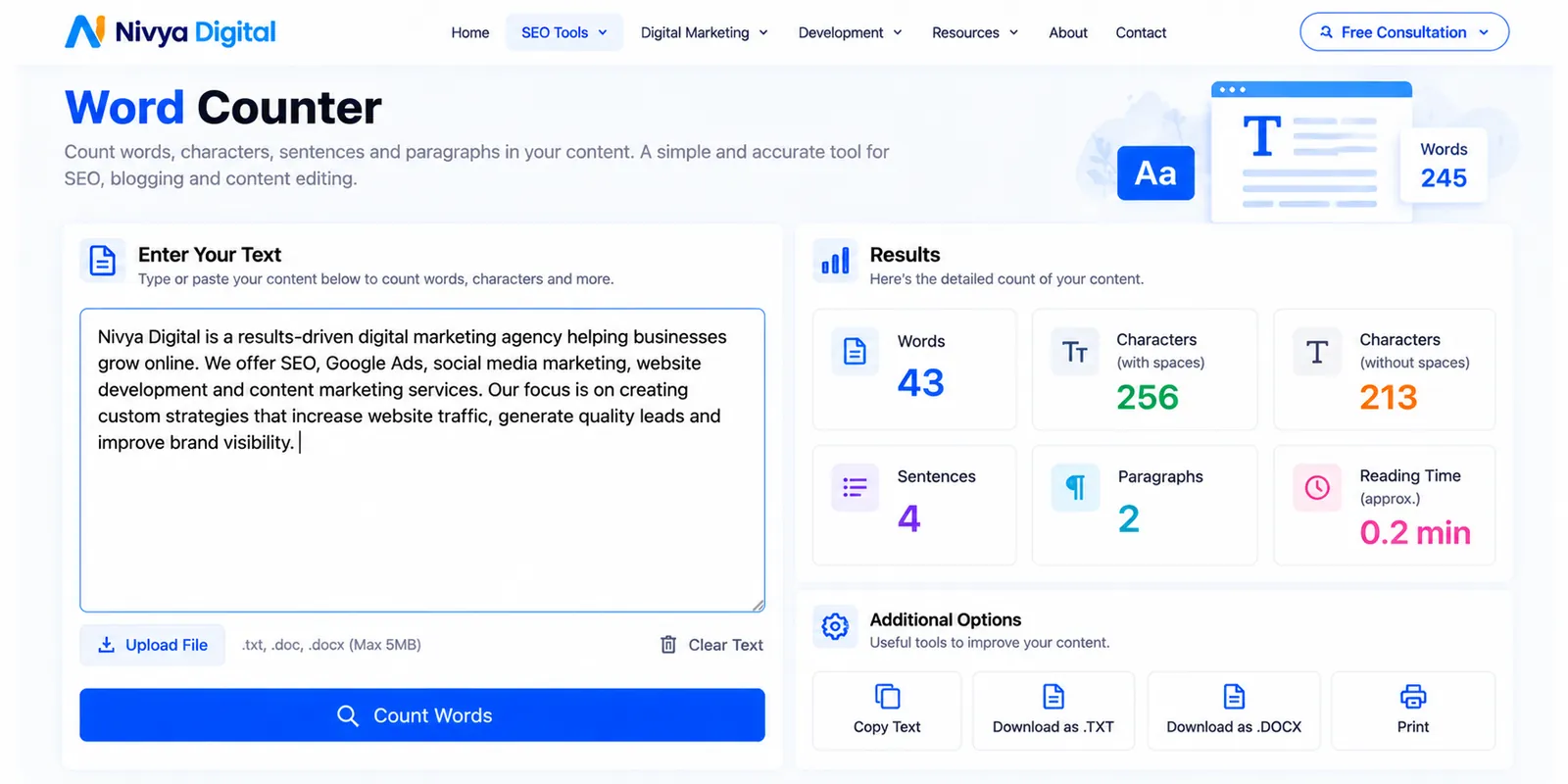
Word count isn't a direct measure of content quality.
A 700-word article that answers a question thoroughly may be more useful than a 3,000-word article filled with repetition.
Still, knowing the length of your content can help with editing.
Nivya Digital's Word Counter helps writers review word, character, sentence, and paragraph counts.
Use it to remove unnecessary repetition, improve readability, and maintain a consistent editorial format.
Don't add words simply to reach a target length.
Best for: Content writers and editors.
Try it: https://nivyadigital.com/tools?page=3
12. Nivya Digital Robots.txt Generator — Best for Crawl Configuration
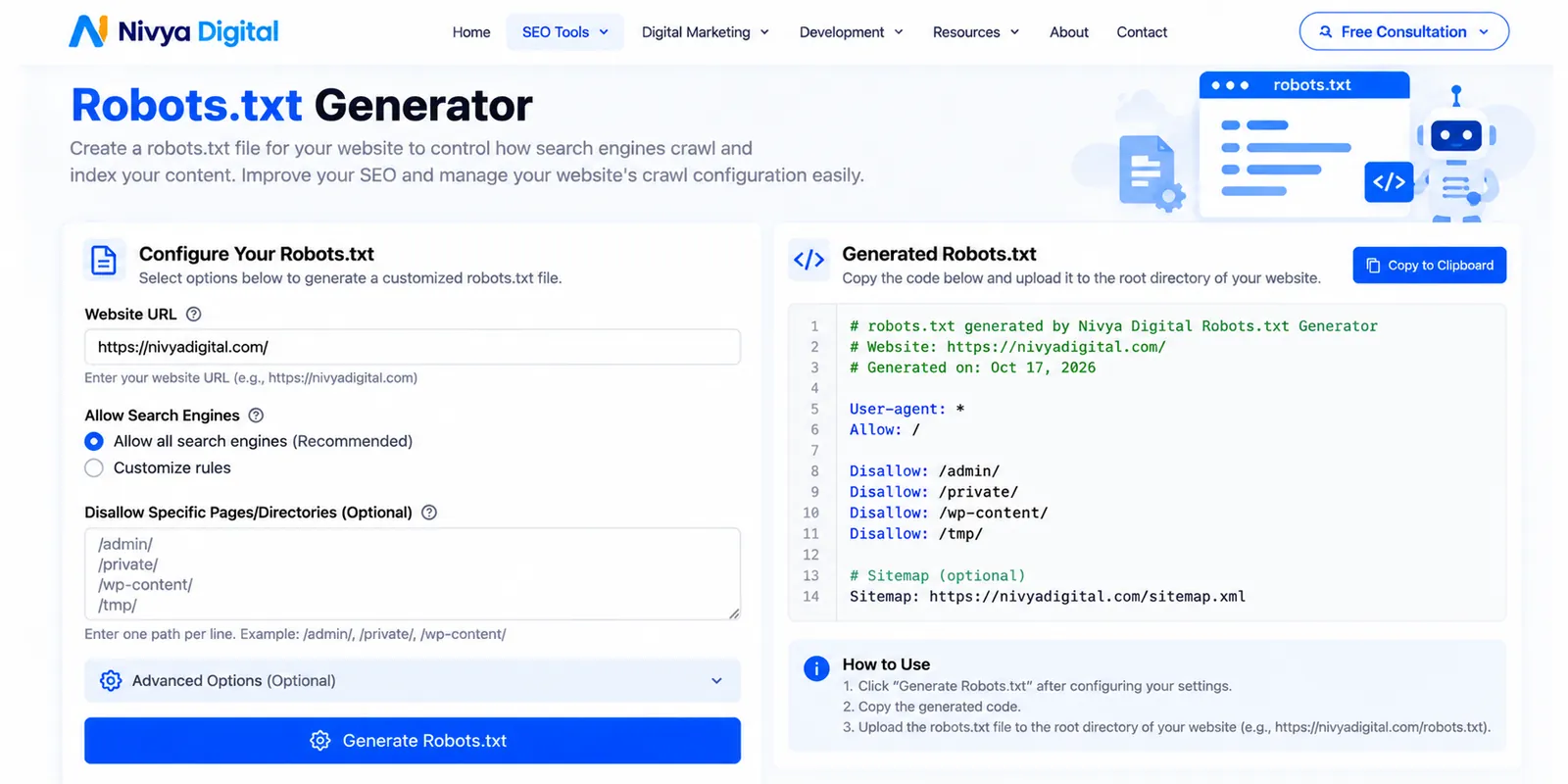
A robots.txt file provides crawling instructions to compatible search engine bots.
For example, it can be used to discourage crawlers from accessing certain sections of a website.
Nivya Digital offers a Robots.txt Generator to help website owners prepare these instructions.
However, robots.txt is not a reliable way to prevent a URL from appearing in search results.
For pages that should not be indexed, appropriate indexing controls may be needed.
Always review generated instructions before adding them to a live website. An incorrect rule can prevent important pages from being crawled.
Best for: Website administrators and technical SEO teams.
Try it: https://nivyadigital.com/tools?page=3
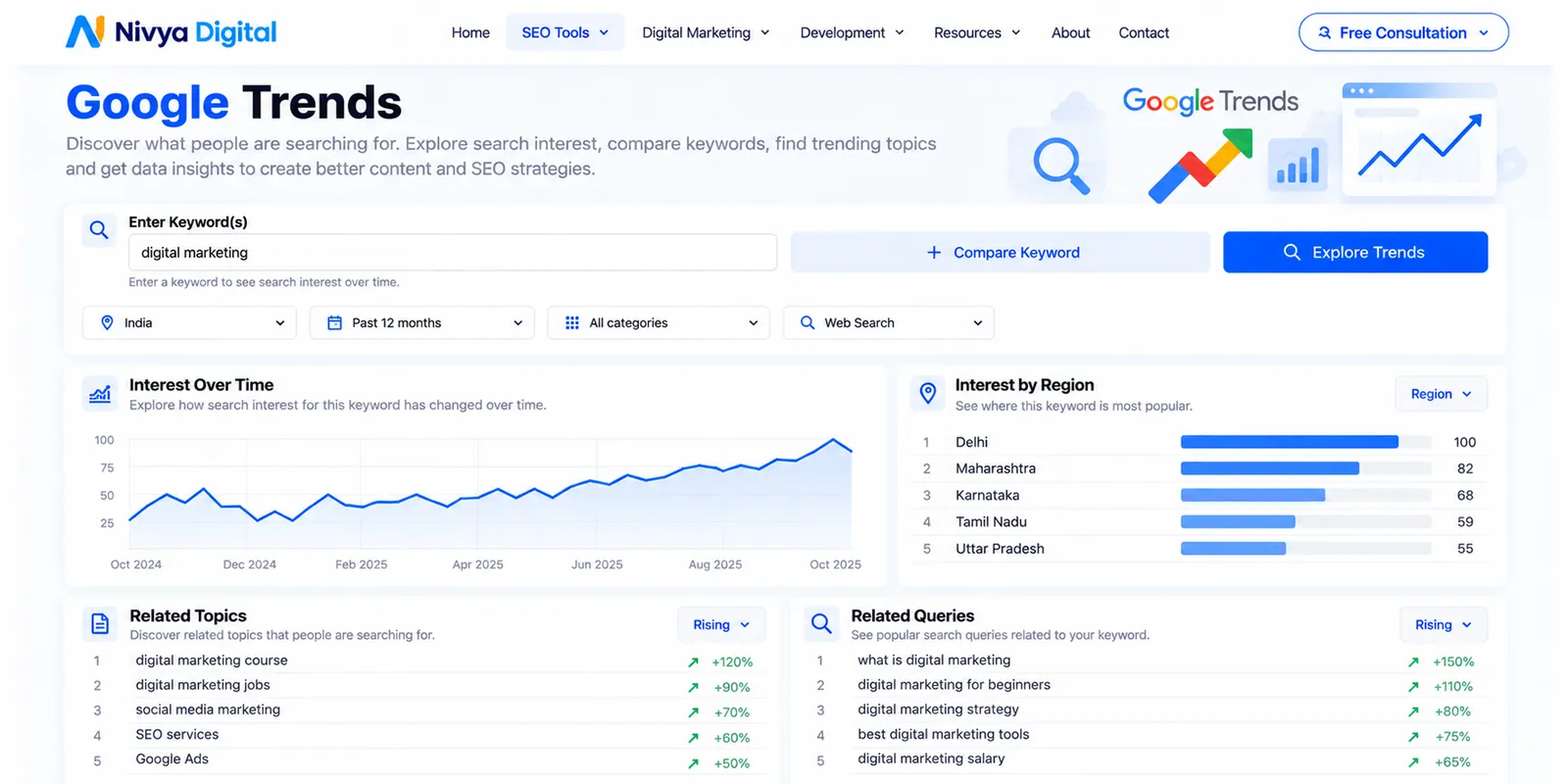
13. Google Trends — Best for Discovering Search Interest
Google Trends helps you explore how interest in a topic changes over time and across locations.
It's particularly useful when planning content for multiple countries.
For example, you can compare interest in:
AI SEO tools
SEO audit tools
Google ranking
Local SEO
Digital marketing automation
You can also investigate seasonal patterns and related searches.
Keep in mind that Google Trends provides normalized interest data, not exact monthly search volume.
Best for: Topic research and international content planning.
Website: https://trends.google.com/
14. Screaming Frog SEO Spider — Best for Technical Website Crawling
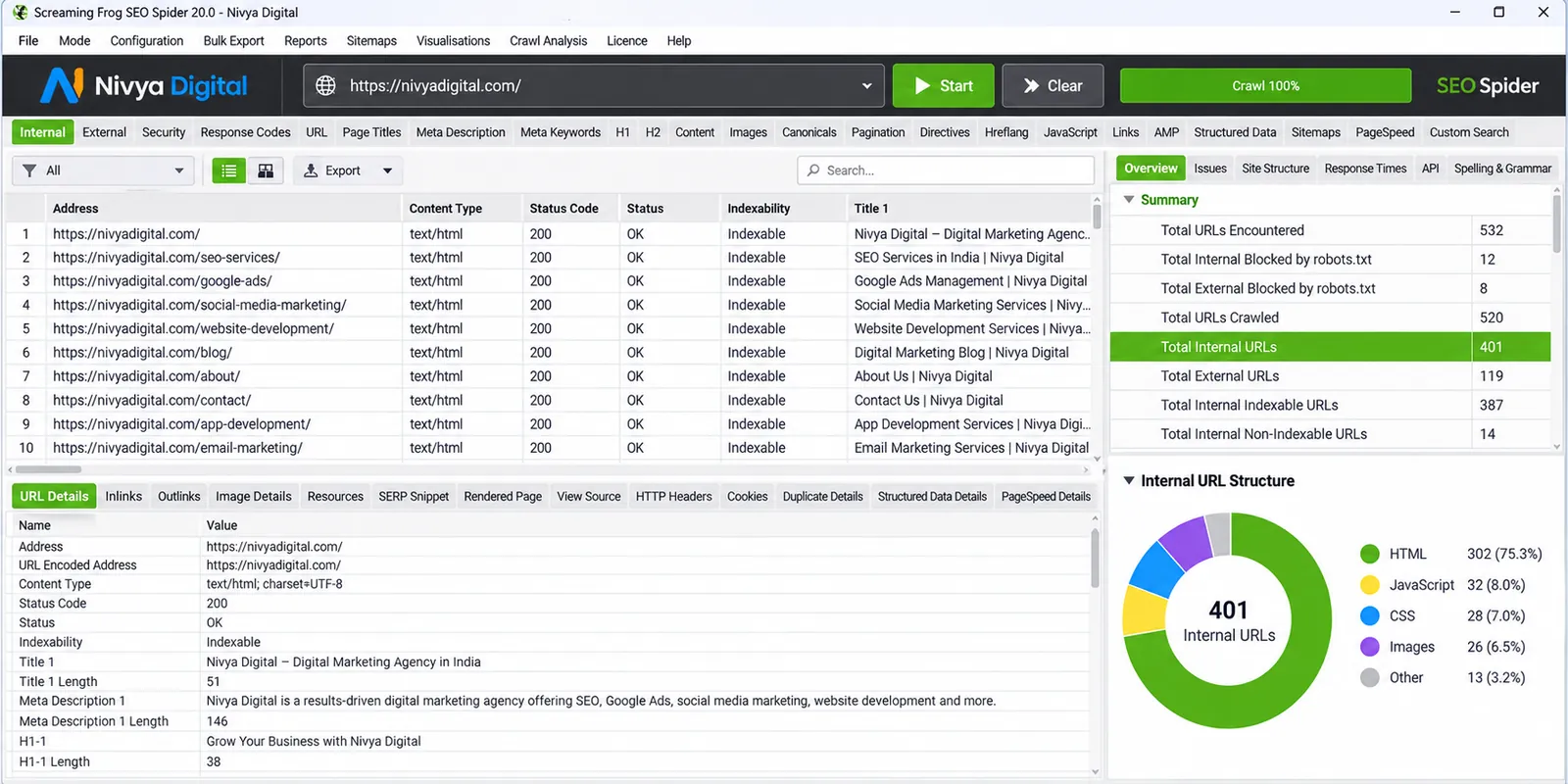
Screaming Frog SEO Spider is a desktop website crawler widely used for technical SEO audits.
Its free version supports crawling up to 500 URLs per crawl, subject to its feature limitations.
It can help identify:
Broken links
Redirect chains
Missing titles
Duplicate metadata
Heading problems
Canonical URL issues
For a small business website, this can be a useful way to discover technical problems before investing in a larger SEO platform.
Best for: Technical SEO specialists and website administrators.
Website: https://www.screamingfrog.co.uk/seo-spider/
15. Microsoft Clarity — Best for Understanding Visitor Behavior
Getting visitors to your website is only part of the challenge.
You also need to understand what happens after they arrive.
Microsoft Clarity provides behavior analytics features such as session recordings and heatmaps.
These can help you investigate whether visitors struggle with navigation, miss important buttons, or abandon a page before taking action.
For example, if a service page attracts organic visitors but generates very few inquiries, Clarity may help reveal usability problems.
It doesn't replace Google Search Console or analytics platforms, but it can add valuable behavioral context.
Best for: Website owners, UX teams, and conversion optimization.
Website: https://clarity.microsoft.com/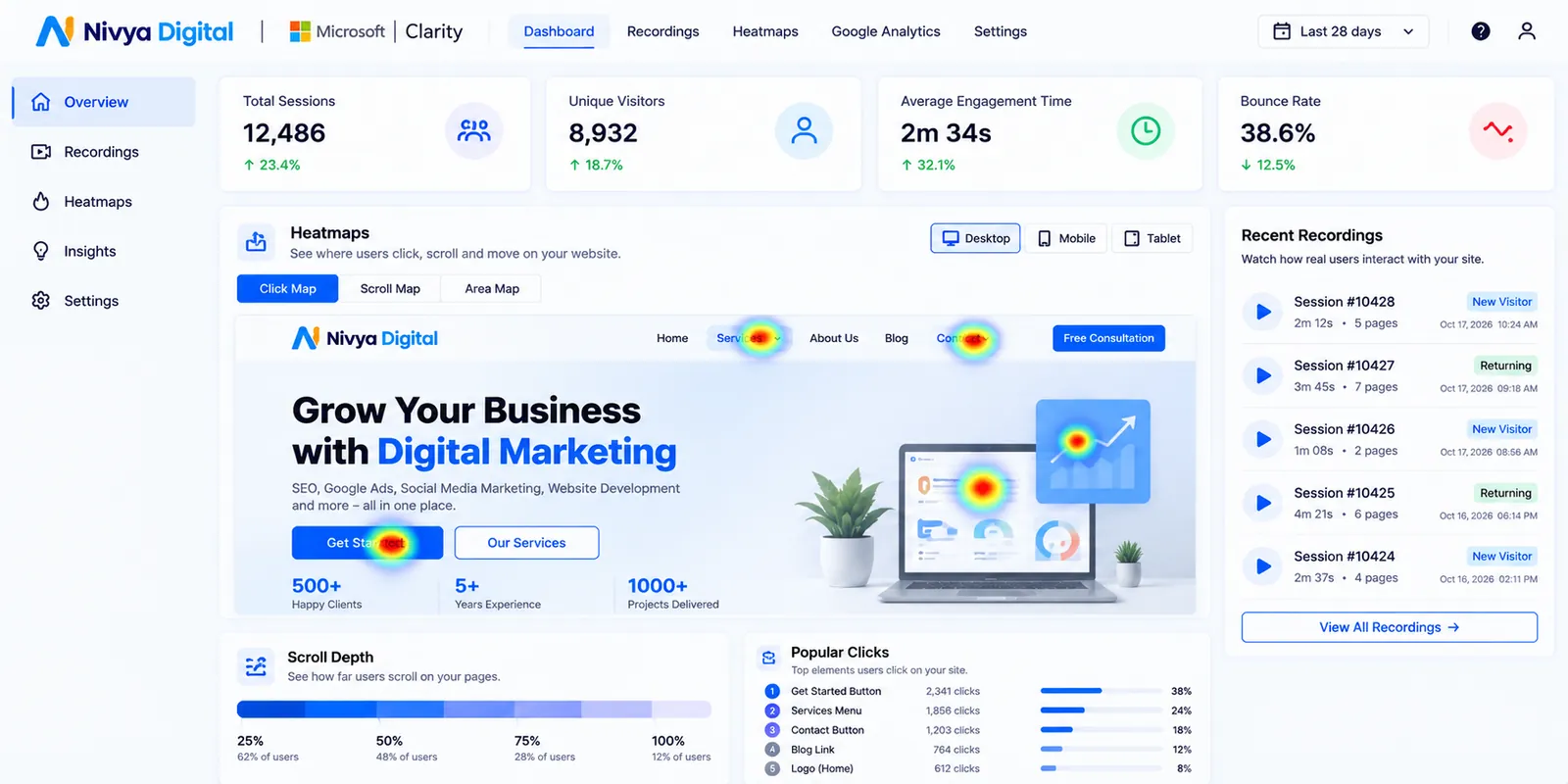
Free SEO Tools Comparison: Which Should You Choose?
| Tool | Main purpose | Access type |
|---|---|---|
| Google Search Console | Search performance and indexing | Free |
| Google Keyword Planner | Keyword ideas and estimates | Free access with Google Ads account |
| Ahrefs | SEO analysis and research | Limited free features |
| Semrush | Keyword and competitor research | Limited free features |
| Nivya Digital SEO Audit | On-page website checks | Listed as free |
| Nivya Digital Speed Checker | Website performance | Listed as free |
| PageSpeed Insights | Core Web Vitals | Free |
| Nivya Digital Meta Tag Generator | Metadata creation | Listed as free |
| Nivya Digital AI Content Detector | AI-text estimation | Listed as free |
| Nivya Digital Plagiarism Checker | Text similarity checks | Listed as free |
| Nivya Digital Word Counter | Content editing | Listed as free |
| Nivya Digital Robots.txt Generator | Crawl instructions | Listed as free |
| Google Trends | Search interest research | Free |
| Screaming Frog | Technical website crawling | Free version with limits |
| Microsoft Clarity | Visitor behavior analysis | Free |
Free features and usage limits can change. Check each provider's current terms before relying on a tool.
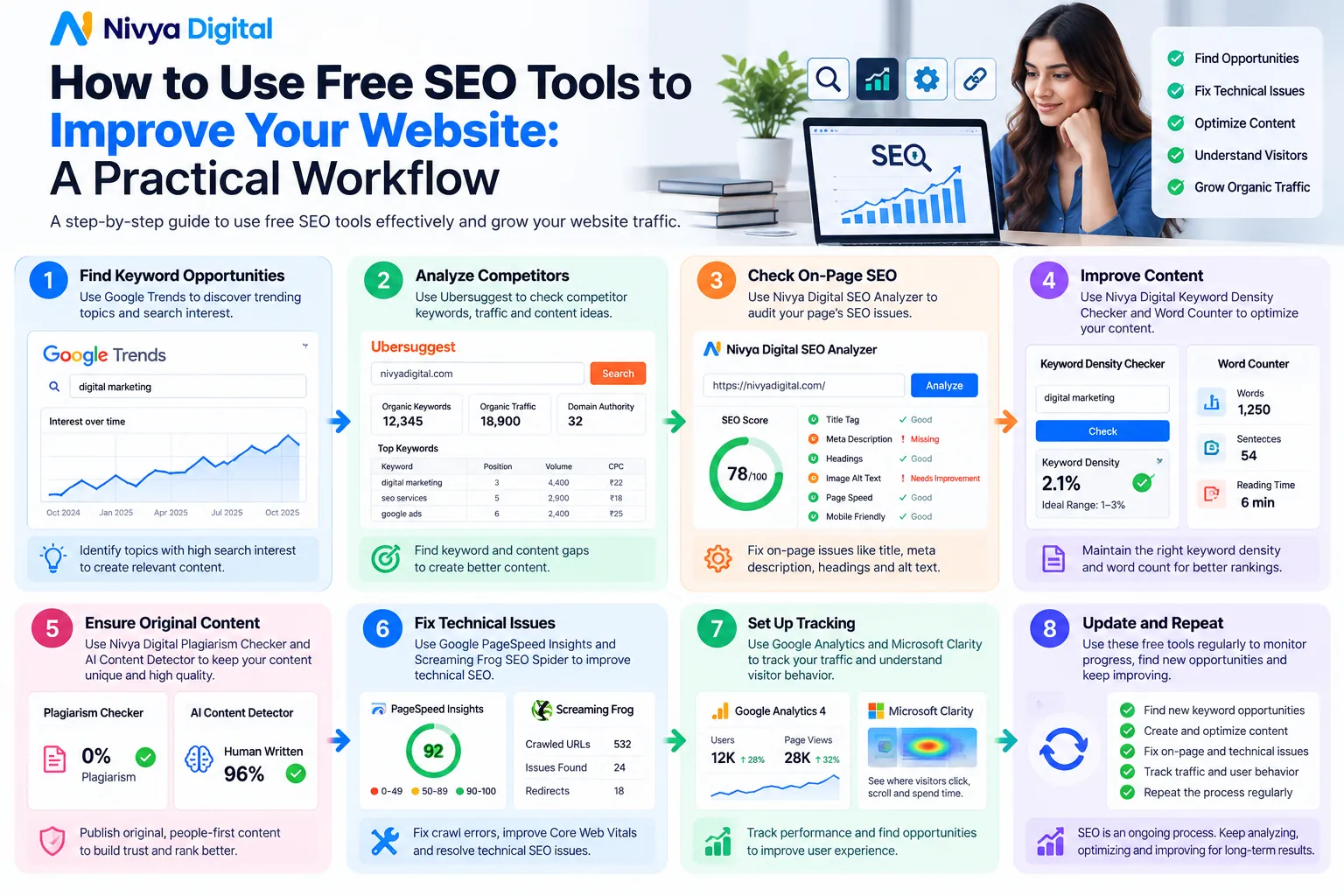
How to Use Free SEO Tools to Improve Your Website: A Practical Workflow
Using the right tools together is more valuable than checking each one independently.
Here's a simple workflow that a small business can follow.
Step 1: Find Out What Your Audience Searches For
Start with Google Keyword Planner and Google Trends.
Imagine you run a website development company targeting businesses in India and the United States.
Instead of focusing only on "website development," investigate more specific searches such as:
How much does a small business website cost?
WordPress vs custom website development
How to improve website speed
SEO checklist for a new website
These searches may reveal different customer needs.
Choose topics based on relevance, search intent, and your ability to provide a genuinely useful answer.
Step 2: Review Your Existing Website
Use Google Search Console and an SEO audit tool to check the current condition of your website.
Start with your most important pages.
Check whether they're indexed, whether their headings make sense, and whether the content matches what visitors expect.
Don't attempt to fix every warning at once.
Prioritize problems that affect important pages or prevent search engines from accessing useful content.
Step 3: Improve Your Content
Read your article as if you were visiting the website for the first time.
Does the introduction answer the main question?
Are the examples easy to understand?
Have you explained any technical terms?
Are there sections that repeat the same information?
Use a word counter and other editing tools to review the draft, but make final decisions based on usefulness.
Step 4: Check Website Performance
Run important pages through PageSpeed Insights.
Investigate performance problems that affect real users, especially on mobile devices.
Compress oversized images, review unnecessary scripts, and test changes carefully.
A faster page can improve the visitor experience, even though speed improvements alone won't guarantee higher rankings.
Step 5: Measure What Changes
After publishing or updating content, monitor it through Google Search Console.
Look at impressions, clicks, relevant queries, and changes over time.
Also consider conversions, such as contact form submissions or consultation requests.
Organic traffic is valuable, but attracting the right visitors matters more than simply increasing page views.
Best Free SEO Tools for Small Businesses in India, USA, UK, Canada and Australia
The basic principles of SEO apply across markets, but search demand and customer expectations can vary by country.
For businesses targeting India, local search behavior, regional language preferences, and pricing-related queries may influence content planning.
For businesses targeting the United States, United Kingdom, Canada, or Australia, terminology and service expectations may differ.
For example, people may use different words when searching for the same type of service.
A useful international SEO process includes researching keywords separately for each target market, using appropriate local examples, and ensuring that service information accurately reflects the regions you serve.
Avoid creating nearly identical country pages simply by replacing location names.
If you publish country-specific pages, each should provide meaningful local value.
Can Free AI SEO Tools Help You Rank on ChatGPT and Google AI Search?
AI-powered search has changed how some users discover information.
However, no legitimate SEO tool can guarantee that your website will appear in a ChatGPT response, Google AI Overview, or another AI-generated answer.
What you can do is improve the quality and accessibility of your content.
Start by publishing clear answers to genuine customer questions.
Support important claims with reliable sources.
Keep your website technically accessible, use descriptive headings, and make your business information accurate and easy to understand.
For Google Search's AI features, Google's existing search guidance remains an important foundation.
Be cautious of services promising guaranteed AI citations or instant AI search rankings.
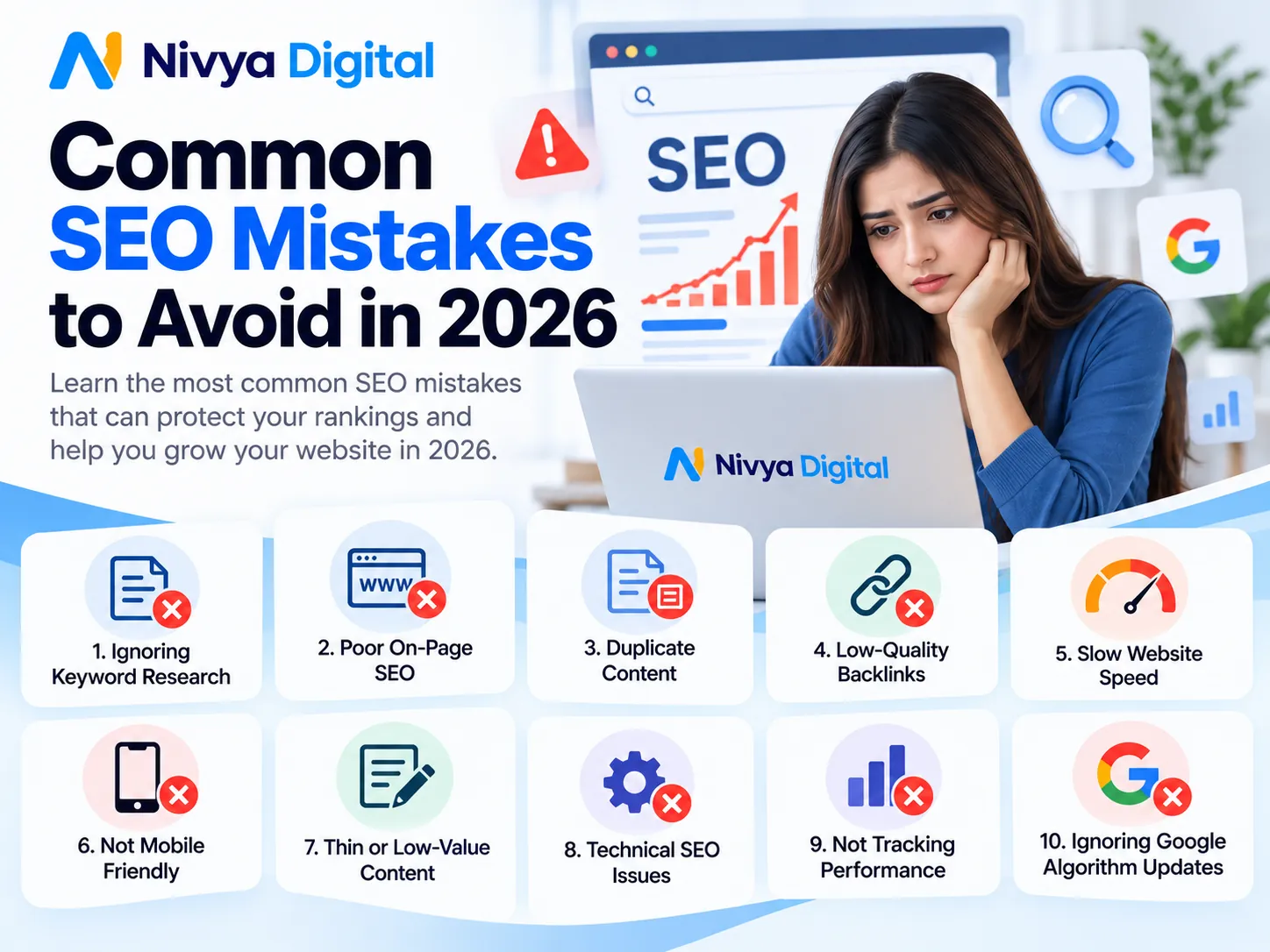
Common SEO Mistakes to Avoid in 2026
Publishing Content Only for Keywords
A keyword is useful for understanding demand, but it shouldn't control every sentence.
Write for the person asking the question.
Relying Entirely on AI-Generated Articles
AI can support research and editing, but factual errors, generic explanations, and unverified claims can make content less useful.
Review every important claim before publishing.
Ignoring Search Intent
A visitor searching for "free SEO audit tool" probably wants to use a tool, not read several paragraphs promoting an agency.
Make the requested resource easy to find.
Treating SEO Scores as Google Rankings
A high score from an SEO audit tool does not mean Google will rank your page first.
Audit scores are diagnostic indicators, not Google's ranking system.
Creating Duplicate Country Pages
Publishing nearly identical articles for India, the USA, and the UK may provide little additional value.
Create regional content only when you can address meaningful differences.
How Nivya Digital Helps Businesses Improve SEO
SEO becomes easier to manage when you have a clear process and access to practical tools.
Nivya Digital provides a collection of online utilities covering website audits, speed checks, metadata creation, content review, and other digital marketing tasks.
These resources can help website owners identify areas that need attention before deciding what to improve.
Businesses that need broader support can also explore Nivya Digital's SEO and digital marketing services.
Whether you're working on a new website or improving an established one, the goal should remain the same: create a better experience for your audience and make your content easier to discover.
Explore Nivya Digital's Free SEO Tools: https://nivyadigital.com/tools
Final Thoughts
You don't need every SEO tool on the market to make meaningful improvements to your website.
Start with the basics: understand what your audience searches for, make sure your important pages can be found, publish useful content, and fix technical problems that affect visitors.
Use AI where it saves time, but don't let automation replace accuracy, judgment, or original thinking.
For businesses just getting started, a combination of Google Search Console, Google Keyword Planner, PageSpeed Insights, and Nivya Digital's free SEO utilities offers a practical foundation.
Ready to review your website? Explore the free SEO and digital marketing tools available at Nivya Digital and start with the improvements that matter most to your visitors.
Comments (0)
No comments yet
Start the discussion by sharing your perspective