
Last Updated: October 19, 2026
Google Search Console has become much more than a tool for checking clicks, impressions, and indexing problems. In 2026, Google introduced several updates that give website owners a clearer picture of how their content appears across traditional search results, AI-powered experiences, visual searches, and social platforms.
These changes matter because people no longer discover websites through text-based searches alone. They use Google Lens, AI-generated answers, videos, and social media content to find information, compare products, and make decisions.
For business owners, bloggers, SEO professionals, and digital marketers, understanding these changes can make it easier to identify opportunities and improve search visibility.
In this guide, we'll explore the most important Google Search Console updates in 2026, explain what each feature does, and show you how to use the available data to make better SEO decisions.
1. Google Introduces Generative AI Performance Reports
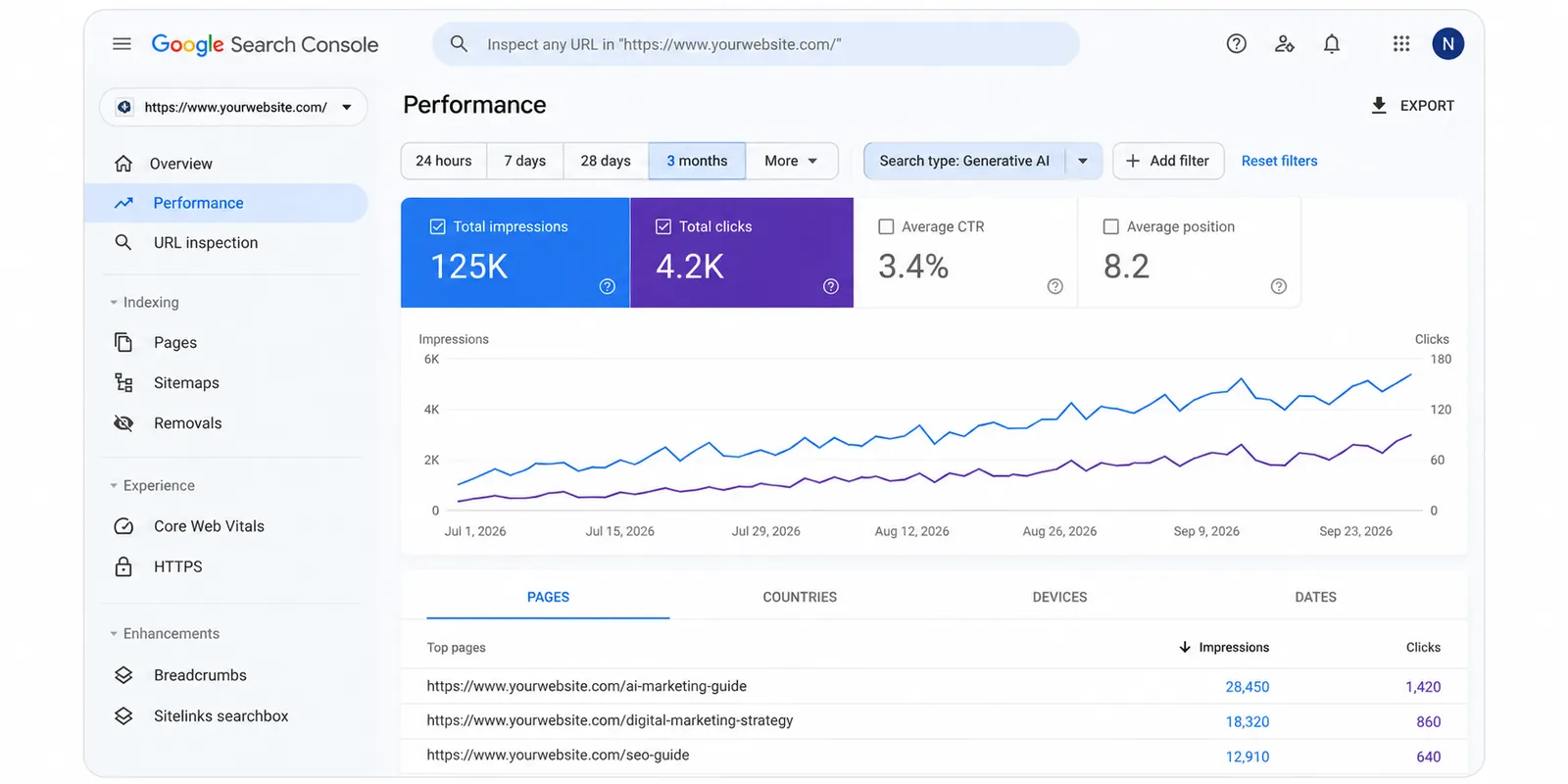
One of the biggest Search Console developments in 2026 is the introduction of dedicated reporting for generative AI search experiences.
Google announced these reports on June 3, 2026, and confirmed their worldwide rollout by August 31.
Previously, website owners had limited visibility into how their content appeared within AI-powered search features. The new reports provide additional information about website exposure in experiences such as Google AI Overviews, AI Mode, and generative AI features in Discover.
What can you track?
The new reporting includes:
Impressions: How often your website's URLs appear within supported generative AI features.
Pages: Which website pages are appearing in AI-powered experiences.
Countries: Where your website receives AI search visibility.
Devices: Device-level visibility information for supported Search reports.
Dates: Performance trends across different periods.
Why does this matter for SEO?
Imagine you publish a detailed article about choosing the right CRM software.
Your article might appear in an AI-generated search response even when users do not immediately visit your website.
Traditional organic traffic alone would not fully describe that visibility.
With the new reporting, website owners can better understand which pages are gaining exposure through AI-powered search experiences.
However, impressions should not be confused with website visits, leads, or conversions.
Practical SEO tip: Review pages receiving AI impressions and compare them with their traditional search performance. Look for topics where your website has visibility but could provide clearer, more useful information.
2. New Multimodal Search Performance Reporting
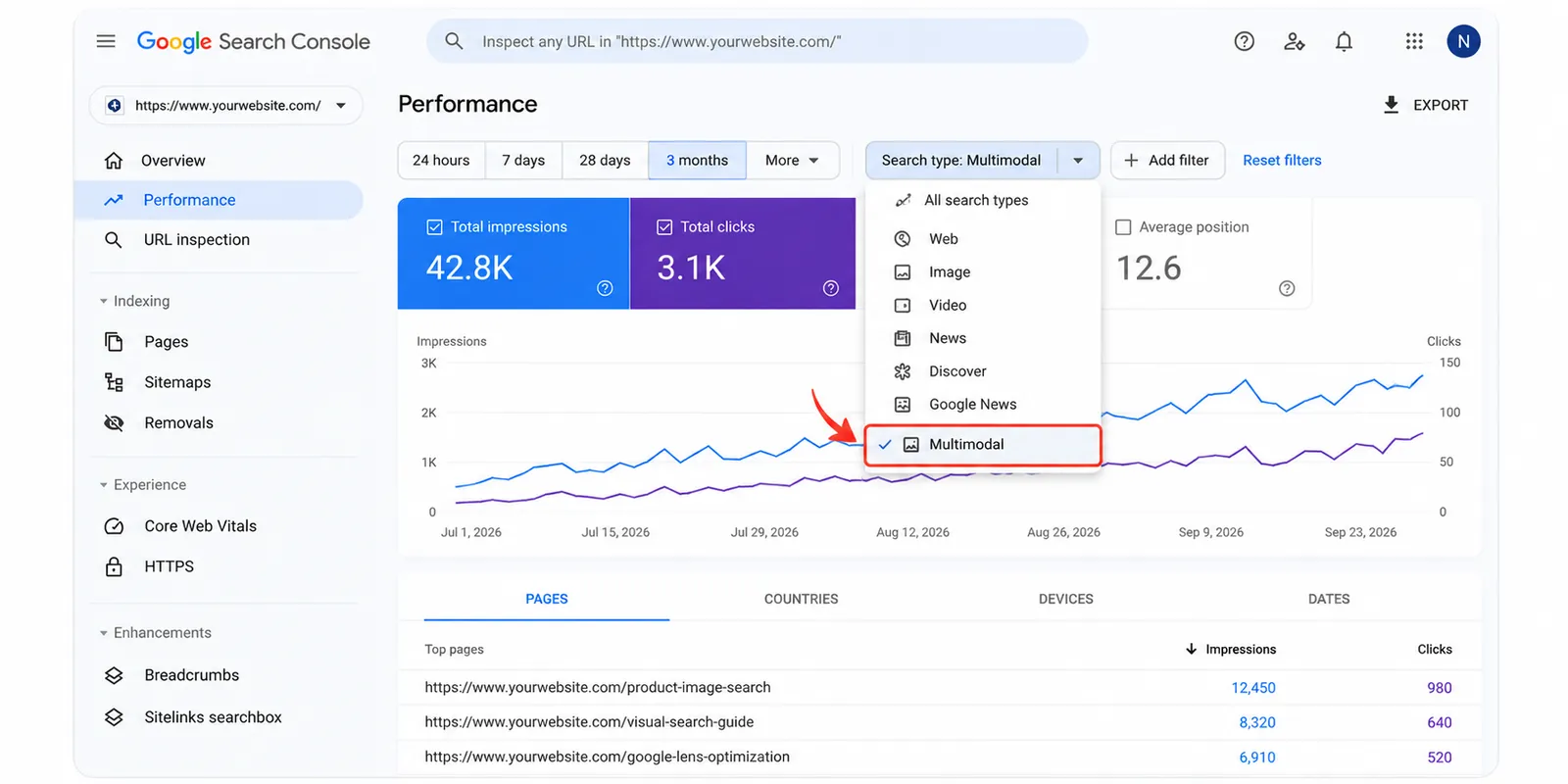
On September 24, 2026, Google announced multimodal search reporting in Search Console.
This update helps website owners understand how their content performs when people search using images rather than relying entirely on typed keywords.
Multimodal search includes experiences such as:
Google Lens
Circle to Search on Android
Image uploads to Google Search
Chrome's Search this image feature
How does it work?
Google introduced a multimodal search type filter within supported performance reports.
Website owners can use this filter to analyze relevant search activity and export the available data for further review.
For example, an online furniture store might discover that its product pages appear when people use Google Lens to search for a particular chair or table design.
A fashion website could identify opportunities connected to visually similar clothing searches.
How to optimize for visual discovery
Start with the fundamentals:
Use clear, relevant images that accurately represent your content.
Write descriptive image alt text where appropriate.
Place images near useful supporting content.
Make sure important images are accessible to search engines.
Use appropriate product structured data when eligible.
Review mobile usability and page performance.
These practices help search engines understand your visual content and improve the experience for visitors.
They do not guarantee appearances in Google Lens or other visual search features.
Important: Multimodal performance data may only appear when your website receives qualifying search activity.
3. Search Console Now Supports Social and Video Platform Properties
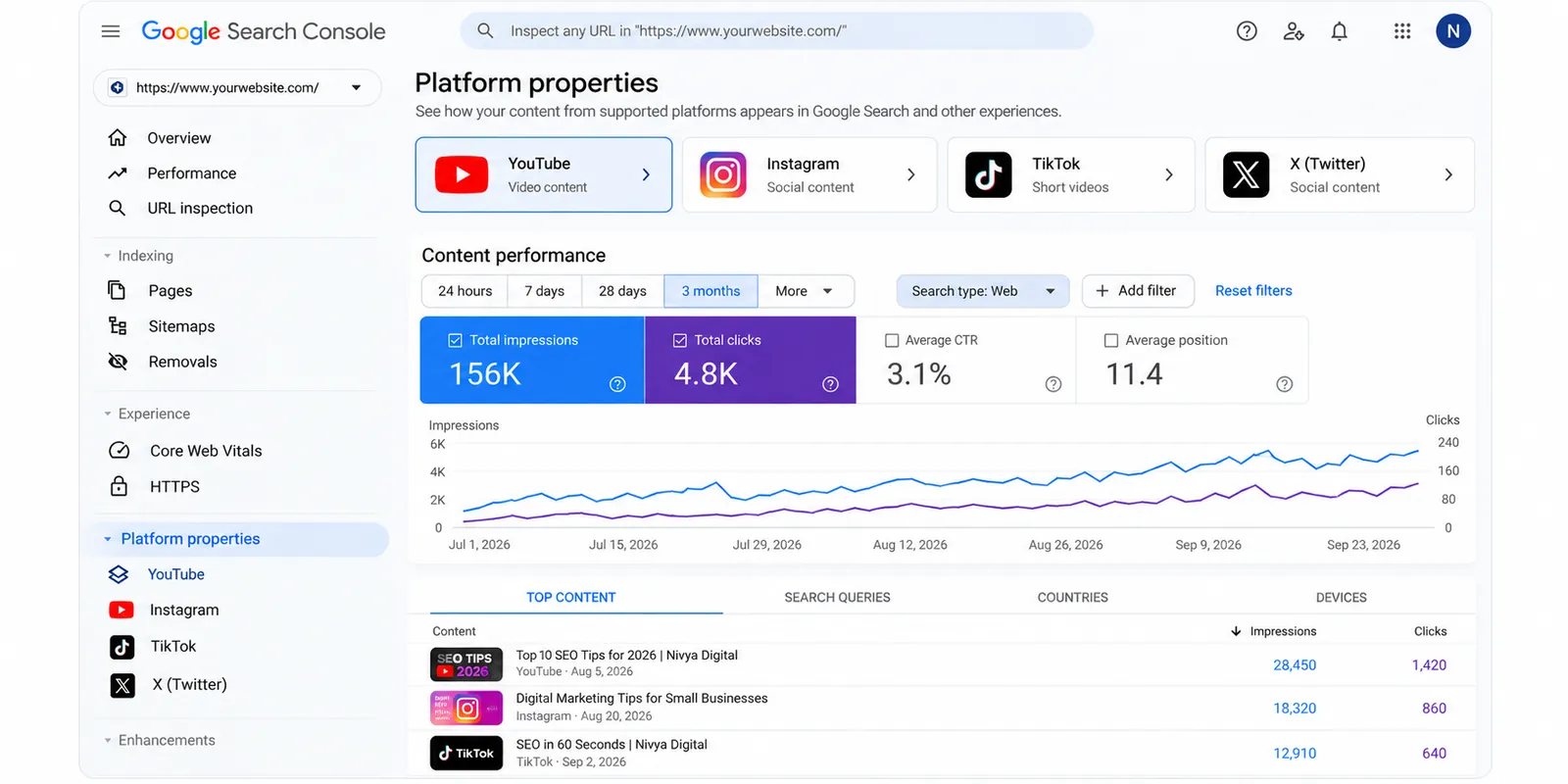
Google introduced platform properties in July 2026, with worldwide availability announced on July 29.
This update is particularly useful for businesses and creators who publish content beyond their websites.
Platform properties allow eligible users to analyze how content from supported platforms appears in Google Search and related discovery experiences.
Supported platforms include:
Instagram
YouTube
TikTok
X
What information is available?
Depending on the platform and report, website owners and creators can examine:
Search queries associated with their content
Popular and trending content
Search visibility patterns
Performance changes over time
Opportunities to compare content formats
Why is this useful for businesses?
Consider a digital marketing company publishing educational videos on YouTube and sharing marketing tips on Instagram.
Some users might discover these posts directly through Google Search.
With platform reporting, the company can gain a clearer understanding of which content attracts attention through Google.
This makes it easier to identify subjects worth developing into blog posts, videos, or other resources.
Practical tip: If a particular video consistently attracts relevant search interest, consider creating a detailed article that answers related questions and links to the video.
The goal should be to help users explore the topic further, rather than simply republishing identical content across platforms.
4. Better Opportunities to Identify Trending Content
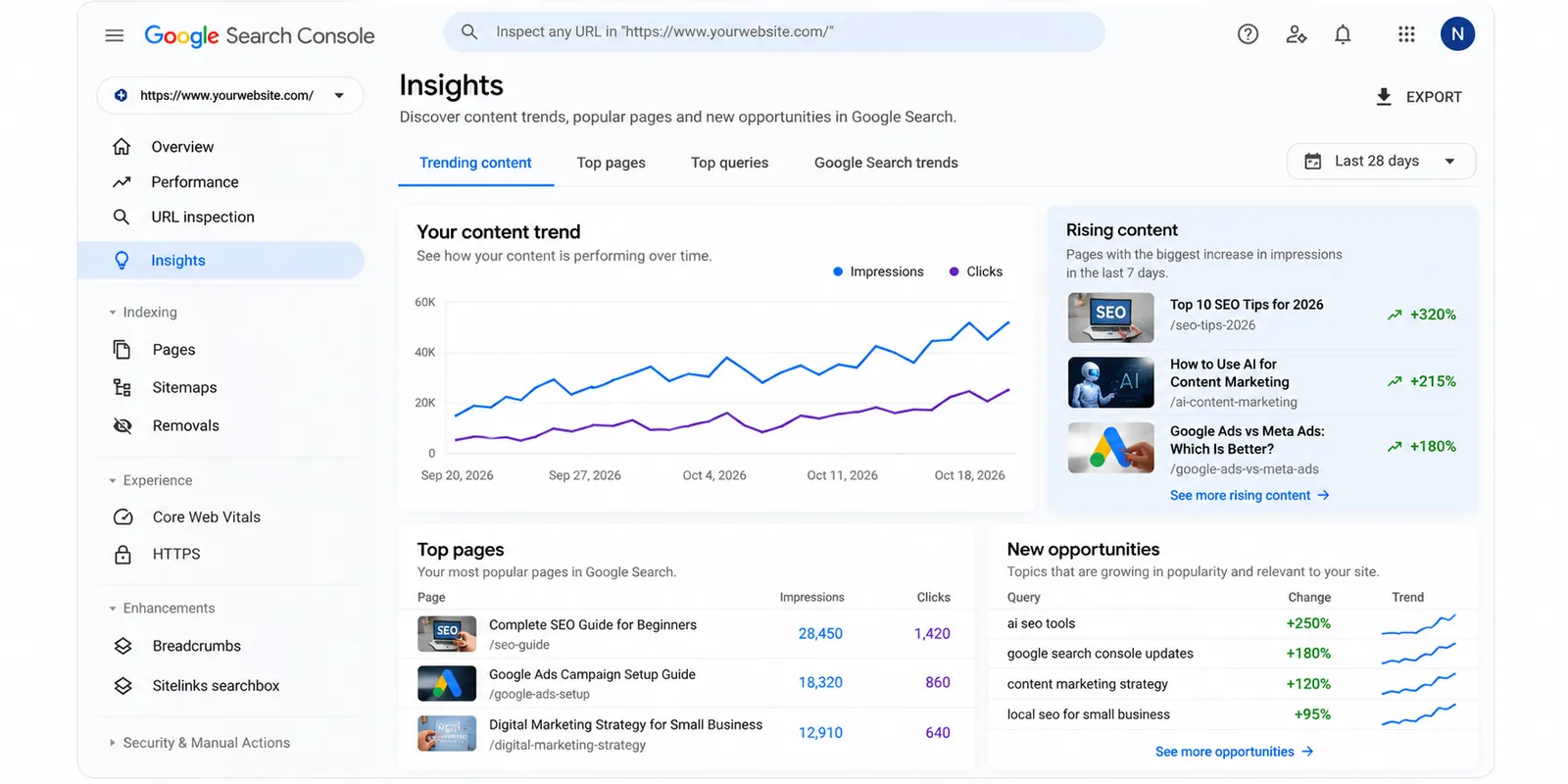
Another useful aspect of Search Console's platform reporting is the ability to identify content that is gaining or losing search interest.
The Insights experience can highlight groups of queries and changes in content performance.
Google also describes how the 24-hour performance view can help identify sudden search activity.
How can you use this information?
Suppose you publish a video explaining a newly introduced Google Ads feature.
After publication, you notice increased search visibility around that topic.
This could indicate that people are actively looking for practical explanations.
You might respond by:
Updating an existing related article
Creating a step-by-step tutorial
Answering common questions
Adding relevant examples
Sharing an updated video with additional details
The important point is to respond to actual audience needs.
A temporary traffic spike does not necessarily mean a topic will remain popular for months.
5. More Useful Data for International SEO
International businesses need to understand how their content performs in different markets.
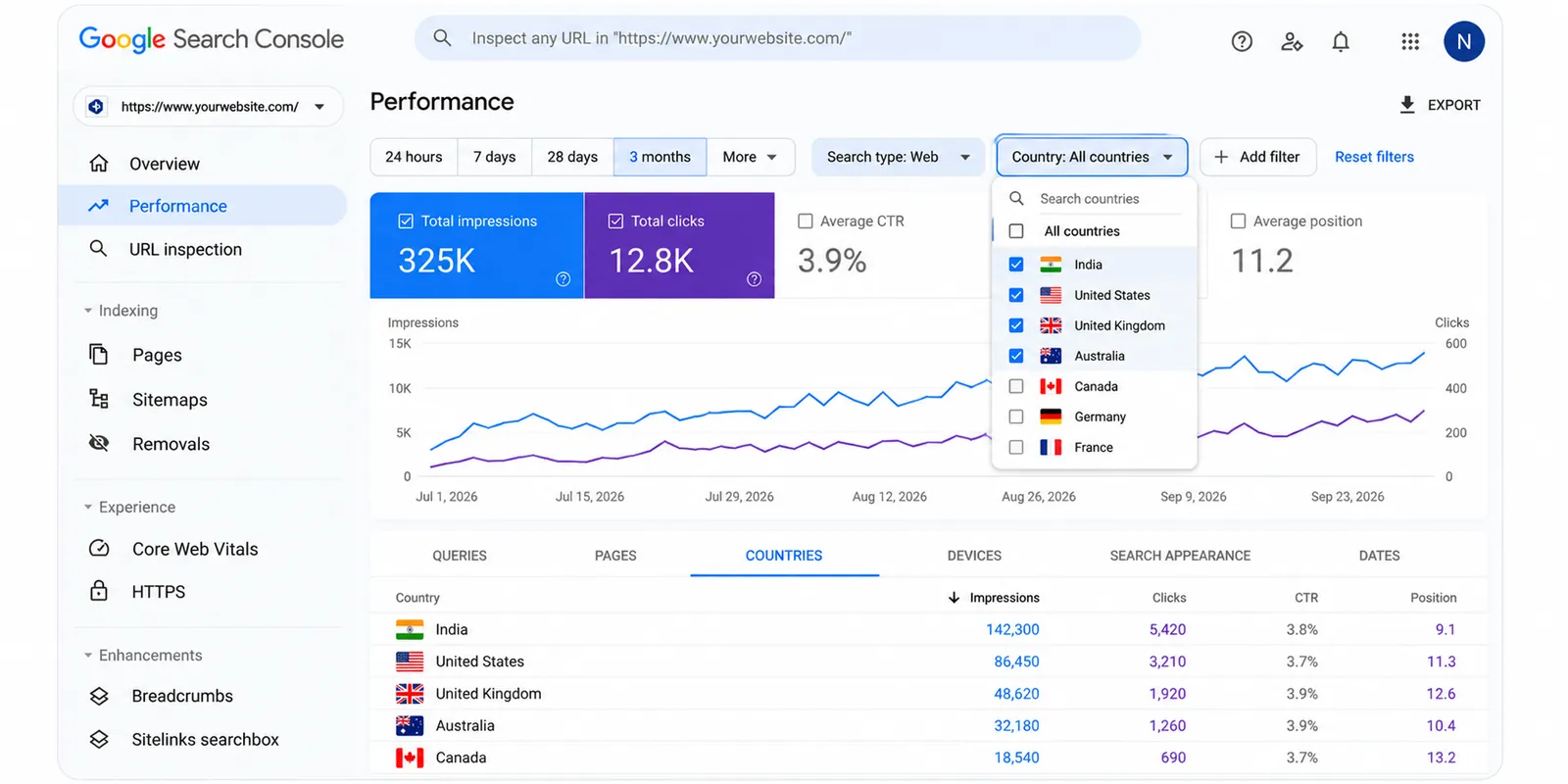
Search Console already provides country-level information for traditional search performance.
The new generative AI reporting adds another perspective by showing supported AI search visibility across countries.
Why is country-level reporting important?
Search behavior can vary considerably between markets.
For example, people in India may search for digital marketing service pricing in rupees, while users in the United States may look for pricing in dollars.
The same subject can also involve different terminology, expectations, and business requirements.
Country-level performance information can help identify where your content is gaining exposure.
What should international websites do?
Review performance across your target countries and evaluate whether your pages genuinely address local user needs.
Useful improvements might include:
Country-specific examples
Relevant pricing information
Appropriate spelling and terminology
Accurate regional service information
Localized landing pages when necessary
Correct international SEO implementation
Avoid creating nearly identical pages for different countries solely to capture more keywords.
Each regional page should offer meaningful value to its intended audience.
6. Google Search Console and Google Analytics 4: Why You Need Both
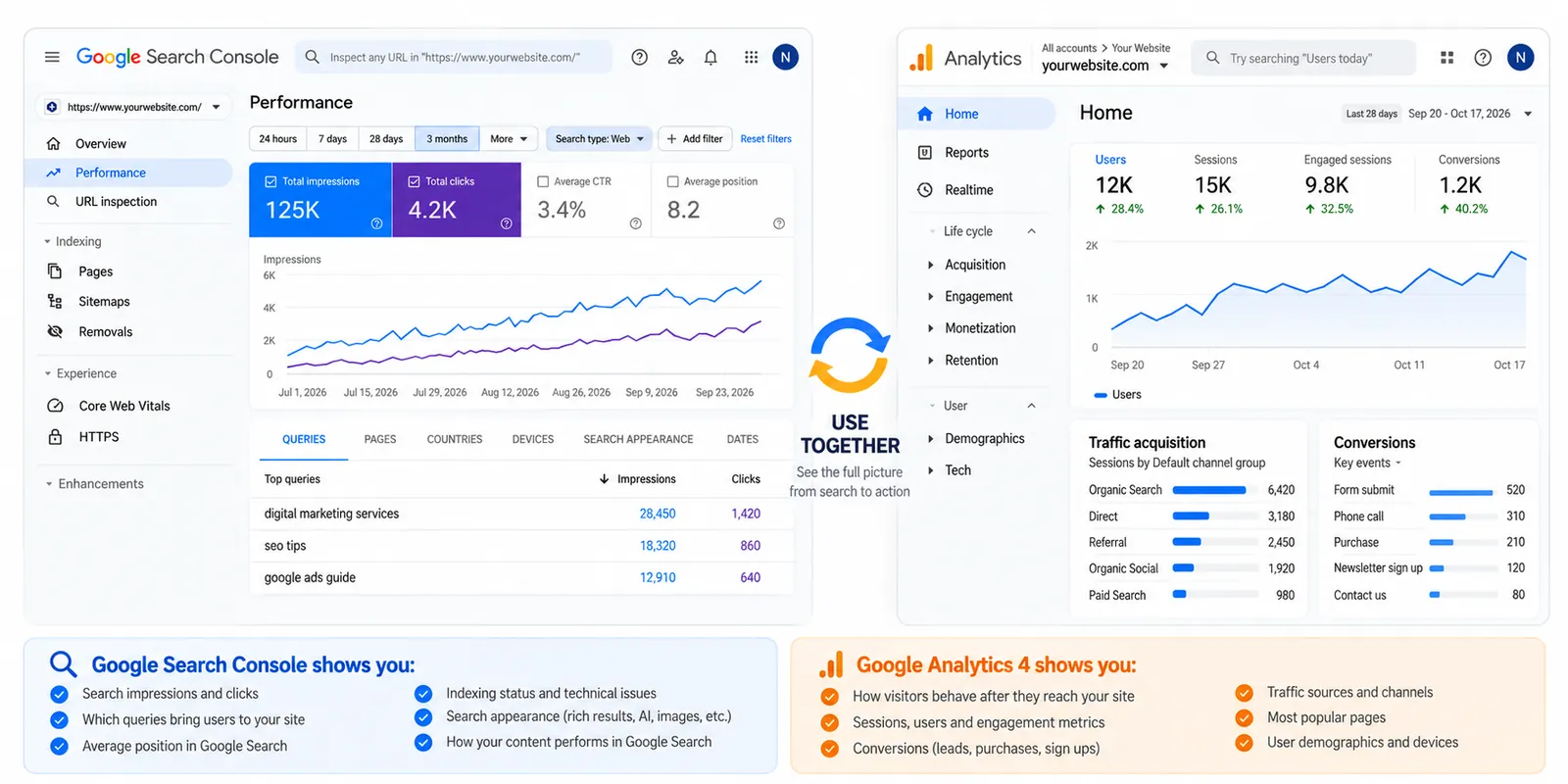
Search Console is valuable, but it cannot answer every question about your website's performance.
For a complete picture, it helps to use Google Search Console alongside Google Analytics 4.
What does Search Console measure?
Search Console focuses on how your website performs in Google Search.
It helps you understand:
Search impressions
Organic search clicks
Search queries
Average search position
Indexing status
Supported search appearance information
What does Google Analytics 4 measure?
Google Analytics 4 helps explain what visitors do after reaching your website.
Depending on your configuration, it can track:
Website sessions
User engagement
Important website events
Form submissions
Purchases
Other business conversions
Example
Imagine a blog receives 10,000 search impressions and 300 clicks.
Search Console helps explain how people discovered the article.
Google Analytics can help you understand whether those visitors engaged with the content or completed a meaningful action.
Remember that Search Console clicks and GA4 sessions use different measurement methods, so the numbers may not match exactly.
SEO takeaway: Search visibility is important, but meaningful business outcomes matter too.
7. What Has Not Changed in Google Search Console?
With so many new features, it's easy to overlook the reports that remain essential for everyday SEO work.
The core Search Console tools are still important.
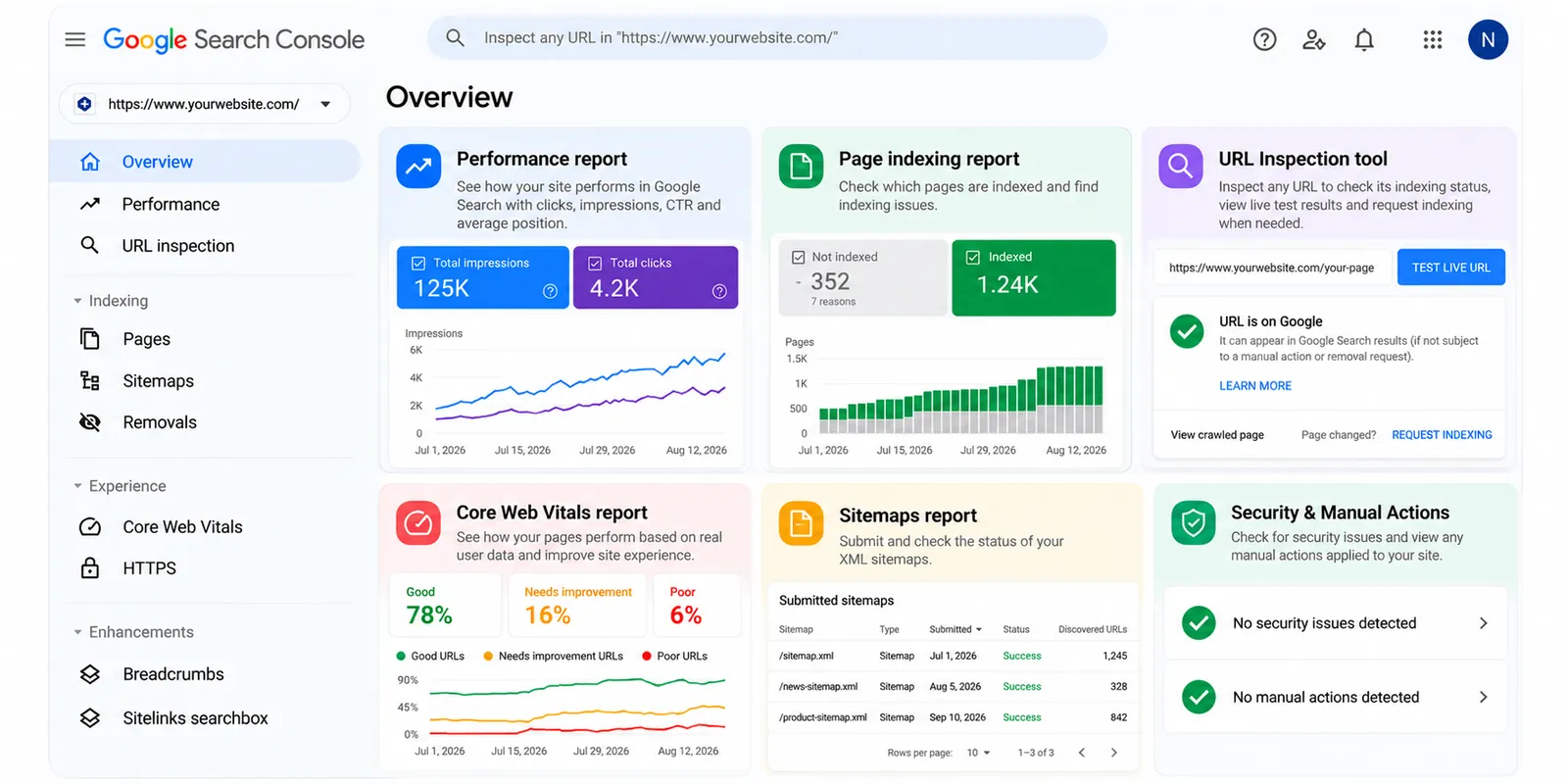
Performance report
Use this report to understand which pages and queries generate search visibility.
Look for pages with declining clicks, growing impressions, or opportunities to improve content relevance.
Page indexing report
Check whether Google can index the important pages on your website.
Not every excluded URL represents a problem. Duplicate pages, redirects, and intentionally excluded URLs can be normal.
Focus on important pages that should appear in Google Search but are not indexed.
URL Inspection tool
Use URL Inspection to investigate individual pages.
It can help you understand a page's indexing status, inspect available information, and request indexing when appropriate.
Requesting indexing does not guarantee that Google will index the page.
Core Web Vitals report
Review user-experience performance using real-world data where available.
Pay attention to loading performance, responsiveness, and visual stability.
Improving these areas can make your website easier and more comfortable to use.
Sitemaps report
An XML sitemap helps search engines discover relevant URLs.
Submitting a sitemap is useful, especially for larger websites, but it does not guarantee indexing or rankings.
8. How to Check the Latest Search Console Features
If you haven't explored Search Console recently, now is a good time to review your account.
Follow these steps:
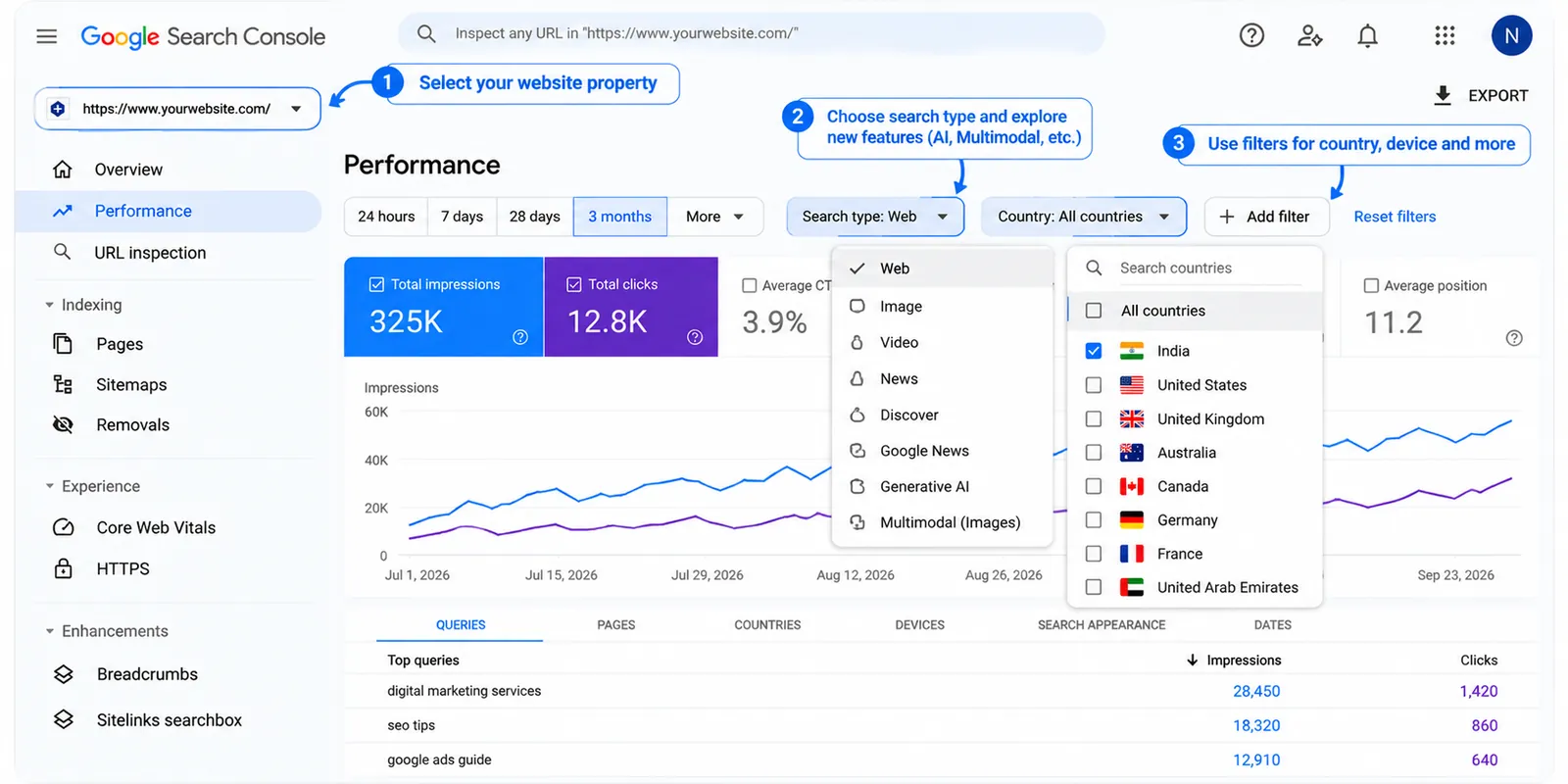
Step 1: Open Google Search Console
Visit https://search.google.com/search-console/ and select your verified website property.
Step 2: Review the Performance section
Check clicks, impressions, search queries, pages, countries, and devices.
Look for available search type filters and additional reporting options.
Step 3: Explore AI performance reporting
Review the generative AI reports available for your property.
Compare page-level and country-level visibility to understand where your content is being discovered.
Step 4: Check multimodal search data
Use the multimodal search filter where available.
If your website has qualifying data, review which pages appear through supported visual search experiences.
Step 5: Explore platform properties
If you publish on supported social or video platforms, consider adding the appropriate platform property.
Review the available insights to understand how people discover your content through Google.
Step 6: Check indexing and technical reports
Make sure important pages are accessible, indexable, and technically healthy.
Step 7: Export and review your data
Export useful reports and compare performance over time.
Keep a record of meaningful website changes so you can evaluate whether they coincide with changes in search performance.
Some reports may show limited information when your property has insufficient eligible data.
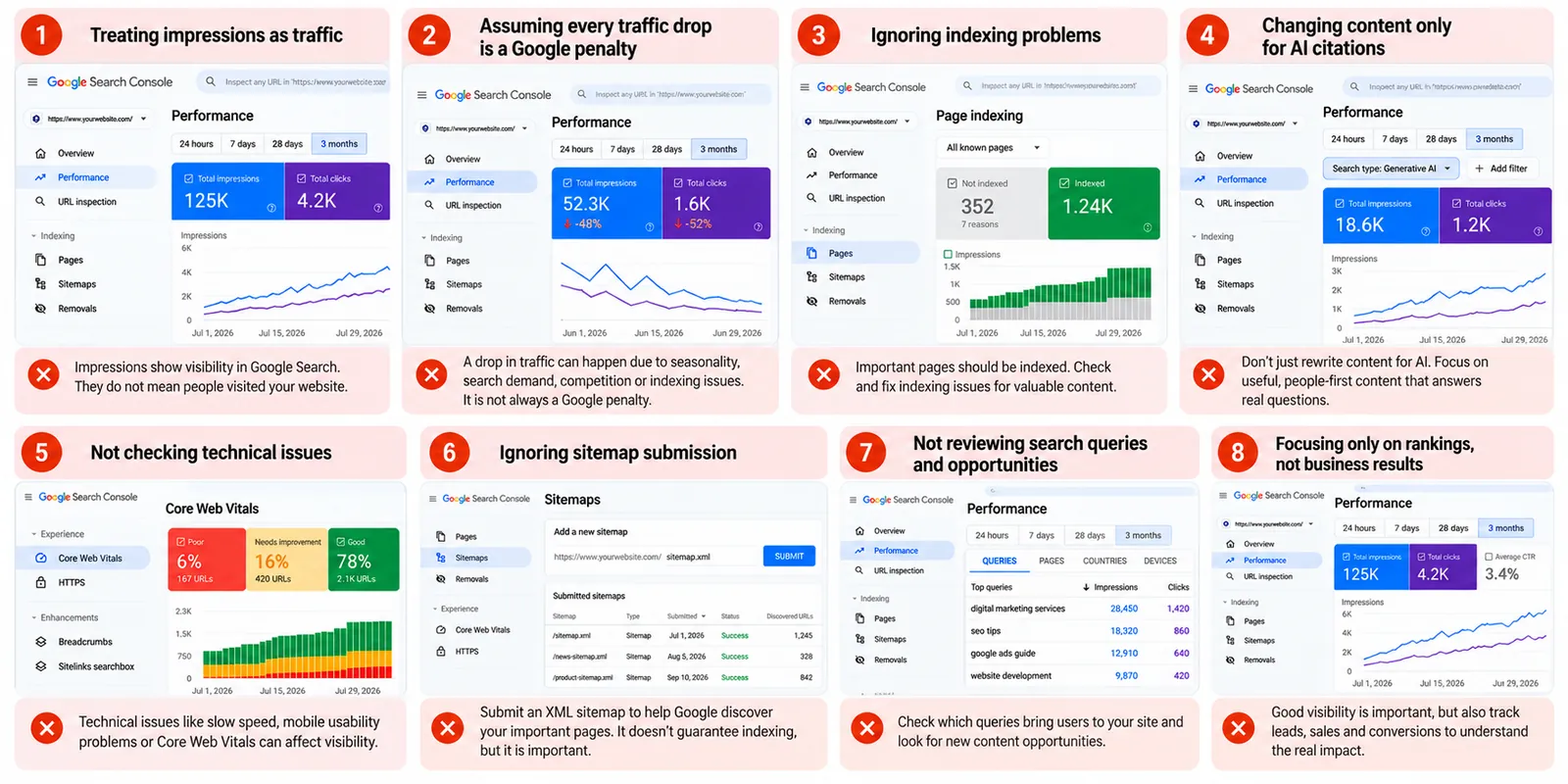
9. Common Google Search Console Mistakes to Avoid
New reports provide more information, but they can also lead to incorrect conclusions.
Here are some common mistakes worth avoiding.
Mistake 1: Treating impressions as traffic
An impression indicates visibility within a supported search experience. It does not necessarily mean someone visited your website.
Mistake 2: Assuming every traffic decline is a Google penalty
Traffic can change because of seasonality, search demand, competition, indexing issues, technical problems, or changes in search results.
Investigate before making major website changes.
Mistake 3: Ignoring indexing problems
Publishing content is not enough if Google cannot properly access or index important pages.
Check technical accessibility before focusing entirely on content optimization.
Mistake 4: Changing content only to attract AI citations
Content should primarily answer real questions and help visitors.
Adding unnecessary keywords or rewriting articles solely to target AI-generated responses can make content less useful.
Mistake 5: Checking rankings without evaluating business results
A page can receive substantial search visibility without generating enquiries or sales.
Connect your SEO reporting to meaningful website goals.
10. A Practical Search Console Checklist for 2026
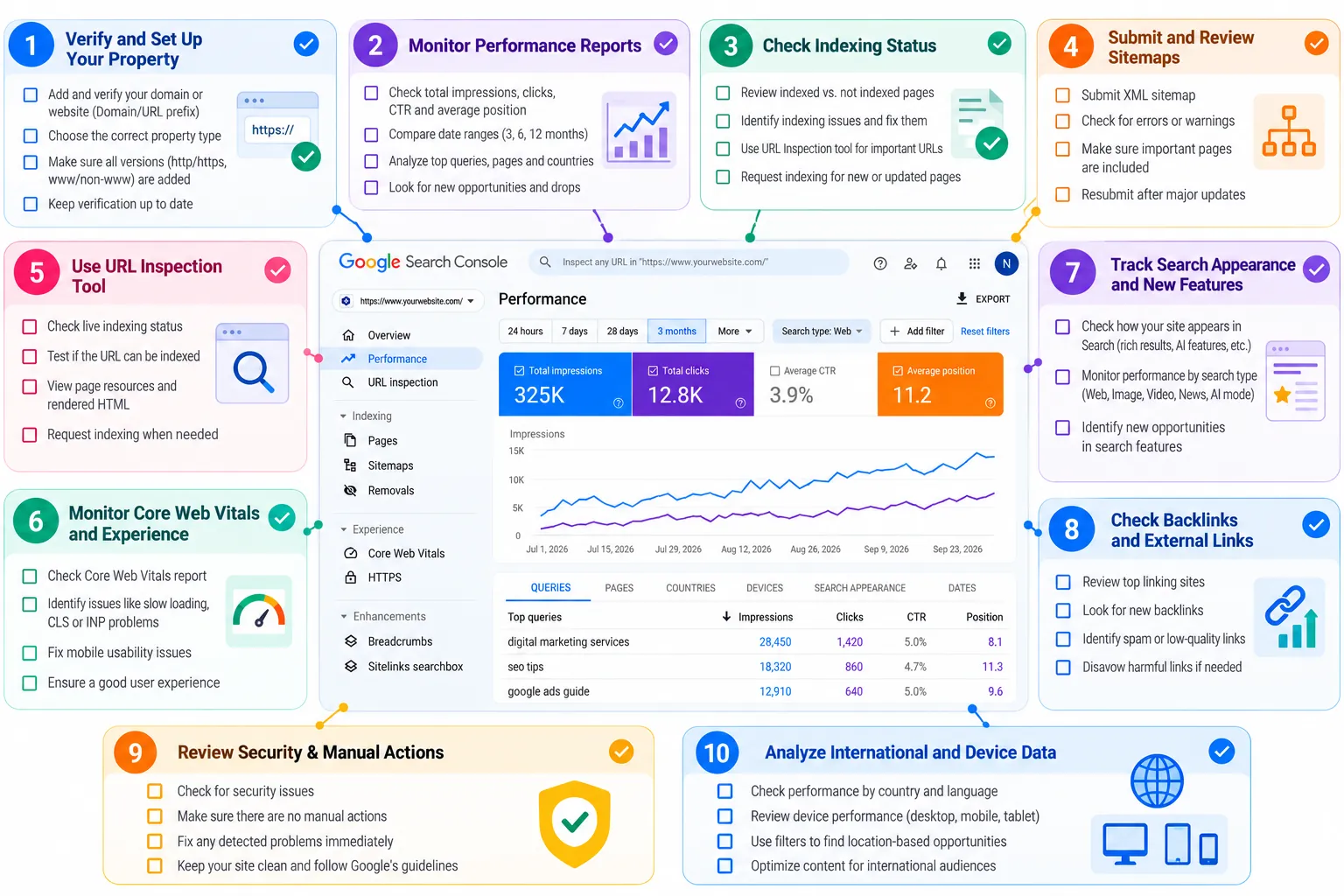
Use this checklist during your regular website reviews.
Weekly review
Check unusual changes in search clicks and impressions.
Identify important pages gaining or losing visibility.
Review recently published content.
Investigate significant indexing issues.
Monthly review
Compare search performance across countries and devices.
Review available AI and multimodal performance data.
Identify content that needs updating.
Check Core Web Vitals and technical issues.
Compare organic search performance with GA4 engagement and conversion data.
Quarterly review
Evaluate your most valuable content.
Review international SEO opportunities.
Update outdated information.
Improve internal links between relevant pages.
Assess whether SEO efforts are supporting business goals.
You do not need to check every report daily. A consistent review schedule is usually more useful than reacting to small fluctuations.
11. What These Updates Mean for the Future of SEO
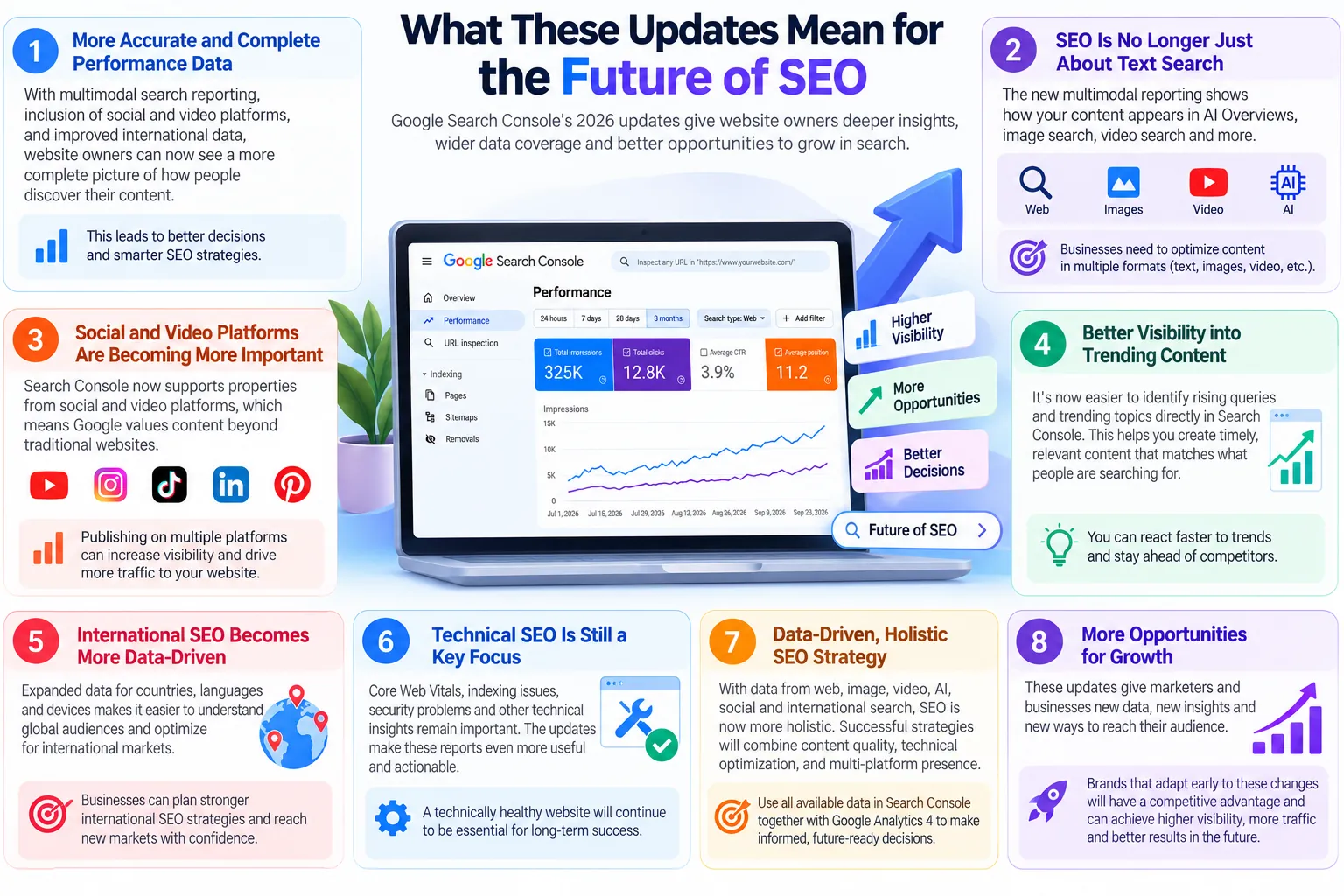
Google Search is expanding beyond traditional blue links.
Users can discover content through AI-generated answers, visual searches, videos, and social content.
The Search Console updates introduced in 2026 reflect this broader search environment.
For website owners, the practical lesson is straightforward: SEO measurement needs to consider more than rankings alone.
Continue creating accurate, useful, well-organized content. Make your website accessible to search engines, maintain strong technical foundations, and use the available reporting tools to understand how your audience discovers you.
New Search Console features can improve your understanding of search visibility, but they do not replace the fundamentals of good SEO.
12. How Nivya Digital Can Help You Improve Search Performance
Understanding Search Console data is one thing. Turning those insights into meaningful website improvements is another.
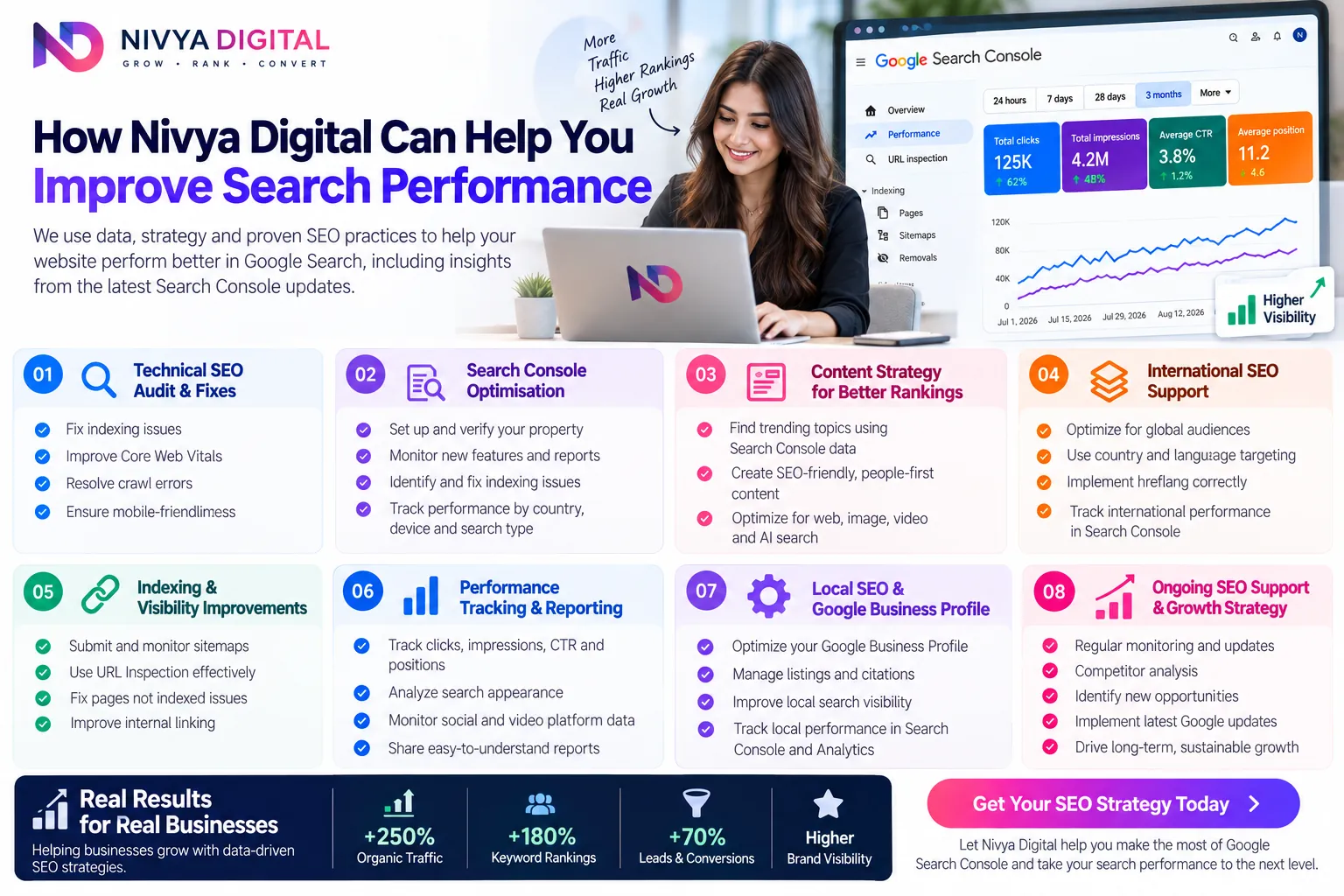
At Nivya Digital, our digital marketing services focus on helping businesses strengthen their online presence through SEO, content marketing, website development, and performance-focused marketing strategies.
Whether you're trying to understand declining organic traffic, improve website indexing, or develop a stronger content strategy, a structured approach can help you identify the right priorities.
Want to improve your website's search visibility?
Explore Nivya Digital's SEO and digital marketing services at https://nivyadigital.com/.
Conclusion
The Google Search Console updates in 2026 represent an important shift in how website owners can understand their presence across Google.
Generative AI performance reporting, multimodal search insights, and social platform properties provide new ways to examine content visibility.
At the same time, traditional reports covering search performance, indexing, and website experience remain essential.
The best approach is to use these tools together, focus on what your audience needs, and make improvements based on reliable data rather than assumptions.
SEO continues to evolve, but the goal remains the same: create a website that people can find, trust, and use.
Comments (0)
No comments yet
Start the discussion by sharing your perspective