Text Case Converter
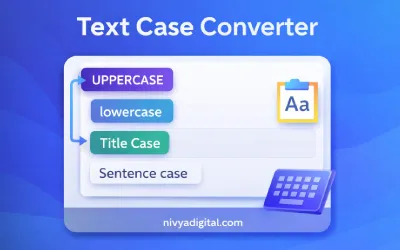
The Text Case Converter Tool helps you quickly change the letter case of your text with a single click. You can convert text to uppercase, lowercase, title case, sentence case, or capitalize each word instantly.
This free online tool is useful for content writers, bloggers, students, developers, and SEO professionals who need to format text correctly without editing each word manually.
Try the Text Case Converter
Enter your details below to get started
Loading tool...
What Is a Text Case Converter?
A Text Case Converter is an online tool that allows users to quickly transform the letter case of any text. Instead of manually editing each word, this tool automatically converts your text into different formats such as uppercase, lowercase, title case, or sentence case.
This tool is widely used by bloggers, writers, students, developers, and digital marketers who need to format content correctly for articles, documents, or websites.
Why Use a Text Case Converter?
Formatting text manually can be time-consuming, especially when working with long paragraphs. A text case converter simplifies this process and ensures consistent formatting across your content.
- Instantly convert text formatting
- Save time editing large blocks of text
- Improve content readability
- Perfect for blogs, documents, and social media content
- Free and easy to use online
Types of Text Case Conversions
Uppercase
Uppercase conversion changes all letters in your text to capital letters.
example text → EXAMPLE TEXT
Lowercase
Lowercase conversion transforms all letters into small letters.
Example Text → example text
Title Case
Title case capitalizes the first letter of each word, which is commonly used in headings and titles.
example text converter → Example Text Converter
Sentence Case
Sentence case capitalizes only the first letter of a sentence while keeping the rest of the text lowercase.
example text converter → Example text converter
Capitalize Each Word
This format capitalizes the first letter of every word, making it useful for headings and formatted titles.
How to Use the Text Case Converter Tool
- Type or paste your text into the input box.
- Select the case format you want to convert.
- The tool instantly converts your text.
- Copy the converted text and use it anywhere.
Who Can Use This Tool?
This tool is helpful for many users including:
- Content writers and bloggers
- Students and teachers
- Developers and programmers
- SEO professionals
- Social media managers
Benefits of Using This Tool
- Fast and instant text conversion
- No installation required
- Works directly in your browser
- Completely free to use
- Accurate formatting results
Example
Input:
hello welcome to nivya digital tools
Output:
HELLO WELCOME TO NIVYA DIGITAL TOOLS
Hello Welcome To Nivya Digital Tools
Hello welcome to nivya digital tools
Conclusion
The Text Case Converter Tool makes it easy to format text correctly without manual editing. Whether you are writing blog posts, creating documents, or preparing content for websites, this tool helps you convert text quickly and efficiently.